


Overview
Automatically format and copy task links using your own custom templates
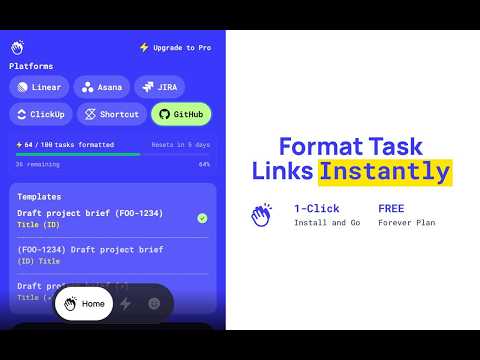
TaskBravo — Task Link Formatter Copying a task link and pasting it somewhere useful should be instant. TaskBravo makes it that way. When you copy a task URL, TaskBravo automatically reads the page, extracts the task title and details, and replaces your clipboard with a custom-formatted version — all before you even switch tabs. No manual editing. No extra steps. ⚙️ How it works Use the built-in default template or upgrade to Pro to create your own using simple variables like {{title}}, {{url}}, and {{id_link}}. Every task you copy is formatted automatically and ready to paste into Slack, a pull request, an email, or your docs. 🔗 Works with the tools your team already uses Compatible with six major project management platforms — see the full list at taskbravo.com. ✅ Free plan 1 platform enabled 25 formatted tasks per week (no account needed) 50 formatted tasks per week with a free account Works completely offline — data stays local on your device ⚡ Pro plan All platforms enabled Unlimited formatted tasks per week Custom templates with your own variables Cloud sync across devices — sign in with Google 🔒 Privacy TaskBravo reads task content only at the moment of copying and never stores or transmits it. Free users work entirely offline. Pro users sync only their templates and settings — not task content. 🚀 Get started Install the extension, open any task page, and copy it. Your clipboard will already be formatted. 🌐 www.taskbravo.com
5 out of 51 rating
Details
- Version1.1.27
- UpdatedMarch 19, 2026
- FeaturesOffers in-app purchases
- Offered byninooooonin
- Size558KiB
- LanguagesEnglish
- Developer
Email
ninovillaflor1997@gmail.com - Non-traderThis developer has not identified itself as a trader. For consumers in the European Union, please note that consumer rights do not apply to contracts between you and this developer.
Privacy

TaskBravo - Smart Task Link Formatter has disclosed the following information regarding the collection and usage of your data. More detailed information can be found in the developer's privacy policy.
TaskBravo - Smart Task Link Formatter handles the following:
This developer declares that your data is
- Not being sold to third parties, outside of the approved use cases
- Not being used or transferred for purposes that are unrelated to the item's core functionality
- Not being used or transferred to determine creditworthiness or for lending purposes