

Task Turbo for HubSpot
2 ratings
)
Overview
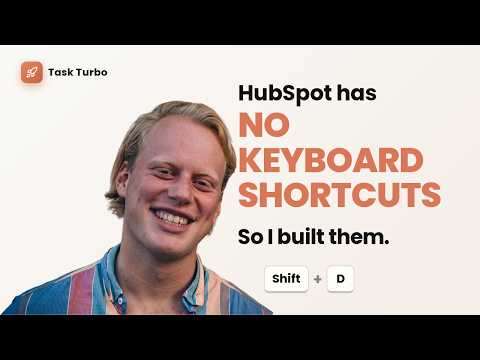
Task Turbo: keyboard shortcuts for HubSpot. Record any button, bind any key, navigate with one hand.
If you live inside HubSpot all day, you already know the problem. Every task takes three clicks. Completing a task, moving to the next one, updating a sub-status, logging a call. Task Turbo fixes that. You record any button in HubSpot, bind it to a keyboard shortcut, and from then on the key press does the click for you. How it works. Open the panel, find the action you want a shortcut for, and click "Record". Then click the button in HubSpot you want to trigger. Press your preferred key combo, like Alt+D. Done. Next time you hit Alt+D, the button gets clicked, no mouse needed. Task Turbo ships with five common actions pre-configured for the HubSpot task queue: Complete task Next task Previous task Skip task Sub-status You can also add custom actions. Any button you can click in HubSpot, you can bind to a key. A few examples of what users set up: Alt+L to log a call Alt+E to send an email Alt+N to create a note Alt+M to schedule a meeting Ctrl+Shift+D to mark a deal as closed Alt+1 through Alt+9 to jump between lifecycle stages or sub-statuses Pricing: The free tier gives you 2 active shortcuts, enough to run your core task loop and feel the difference. Unlimited shortcuts is Pro, 4 euros per month. Privacy: Your shortcuts are saved locally in Chrome. The only data that ever leaves your browser is the email address you type in to unlock Pro, which our license server checks against Stripe to confirm your subscription. Full policy: https://ksh-pro-verify.vajvanderplas-267.workers.dev/privacy Why this exists: The only other keyboard shortcut extension for HubSpot has hardcoded shortcuts you cannot change, and it has not been updated since late 2024. Task Turbo lets you point at any button and bind any key, so when HubSpot ships a new layout, you just re-record. No waiting for a developer to push an update. Who this is for: Sales reps, SDRs, BDRs, sales ops, customer success managers, and anyone who processes a high volume of HubSpot records each day. If you do fewer than 20 actions a day in HubSpot, you probably do not need this. If you do more than 100, you will wonder how you ever worked without it. Setup: Install the extension, open HubSpot, click the rocket icon in the bottom-right corner, and hit "Record" on any action to bind your first shortcut.
5 out of 52 ratings
Details
- Version6.0.0
- UpdatedJune 14, 2026
- FeaturesOffers in-app purchases
- Offered byTurbo GTM Engineer
- Size26.0KiB
- LanguagesEnglish
- Developer
Email
vajvanderplas@gmail.com - Non-traderThis developer has not identified itself as a trader. For consumers in the European Union, please note that consumer rights do not apply to contracts between you and this developer.
Privacy

Task Turbo for HubSpot has disclosed the following information regarding the collection and usage of your data. More detailed information can be found in the developer's privacy policy.
Task Turbo for HubSpot handles the following:
This developer declares that your data is
- Not being sold to third parties, outside of the approved use cases
- Not being used or transferred for purposes that are unrelated to the item's core functionality
- Not being used or transferred to determine creditworthiness or for lending purposes