


Overview
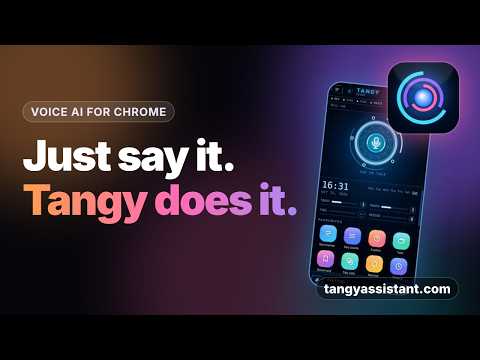
A calm browser assistant: summarise pages, ask about what you are reading, remember your preferences, manage tabs and set reminders.
WHAT'S NEW IN 1.7.7 • Voice Orb: press "Voice Orb" in the side panel and Tangy moves onto the page you're on. Tap the orb and talk. Its replies appear as captions under it, and it follows you from tab to tab. • Cut in any time: say "stop", or just say your next request while Tangy is talking. It goes quiet and does the new thing. • Ignores people around you: other people talking, the TV, and Tangy's own voice are not treated as commands. • Pick by voice: when there are several matches, Tangy shows a short list. Tap one, type its number, or say "the second one". • One request, every step: "Find the recipe I looked at yesterday and save the ingredients to my notes" is one job, and Tangy does all of it. • Permissions where you need them: if a request needs access to tabs, history or bookmarks, a small Allow card appears right there. No trips to Settings. • Always current: news, prices, scores and releases are looked up live. • Routines (with a Tangy account): automations that run on Tangy's server even when your computer is off, such as a morning brief every weekday, reply drafts for new email, or a weekly report on Fridays. You choose whether each one only prepares, asks first, or acts on its own within a limit. • Workspace can now read and add to your spreadsheets and calendar. • Fix: Chrome's own pages (History, Downloads, Settings) can't be scrolled by any extension, so Tangy now uses history search instead, and "the most recent one" opens your newest visit. TANGY: A VOICE-FIRST ASSISTANT FOR CHROME Tangy lives in Chrome's side panel. Tap the glowing ring, talk or type, and it helps with the page you're on, your tabs, the web and your reminders, then answers out loud if you like. WHAT YOU CAN ASK • "Summarise this page in three points" • "Explain this paragraph simply" or "Translate this into Hindi" • "Group my tabs" or "Close the duplicate tabs" • "Search for pasta recipes" or "Open my email" • "Remind me in 20 minutes to stretch" • "Find the article I read about heat pumps last week" • Right-click any text to ask, explain, summarise, rewrite or translate it TANGY WORKSPACE AND THE TABLE (with a Tangy account) Connect the work apps you already use (email, documents, spreadsheets, calendar, chat, code and task tools) and let Tangy work inside them. Ask by voice or by typing and watch each step on your Table at tangyassistant.com. Anything that creates or changes something, like a task, a document, a calendar event or an email, waits for your Approve. TWO WAYS TO USE IT • With a Tangy account: sign in for free monthly requests, or choose a paid plan for more, plus Workspace and Routines. • With your own key: paste an API key from a supported AI provider (the list is in Settings). Your chats, memory, settings and key stay on your computer, and your questions go straight to the provider you picked. PRIVATE BY DESIGN • No ads, no trackers, and your data is never sold or used to train AI. • Tabs, bookmarks, history and access to all sites are optional, and each is asked for only when you need it. • Page and file text is treated as information, never as instructions, and risky actions ask you first. Press Esc to stop Tangy at any time. • Chrome's own pages and the Chrome Web Store are always off limits. Privacy policy: https://tangyassistant.com/privacy Terms: https://tangyassistant.com/terms Help and contact: https://tangyassistant.com/support · support@tangyassistant.com
5 out of 52 ratings
Details
- Version1.7.8
- UpdatedNovember 20, 2026
- FeaturesOffers in-app purchases
- Size254KiB
- LanguagesEnglish (United States)
- DeveloperWebsite
Email
support@tangyassistant.com - Non-traderThis developer has not identified itself as a trader. For consumers in the European Union, please note that consumer rights do not apply to contracts between you and this developer.
Privacy

Tangy has disclosed the following information regarding the collection and usage of your data. More detailed information can be found in the developer's privacy policy.
Tangy handles the following:
This developer declares that your data is
- Not being sold to third parties, outside of the approved use cases
- Not being used or transferred for purposes that are unrelated to the item's core functionality
- Not being used or transferred to determine creditworthiness or for lending purposes
Support
For help with questions, suggestions, or problems, visit the developer's support site