

Talk & Comment: Voice Feedback & Audio Comments for Teachers

Overview
Leave voice feedback on student work in Google Docs, Classroom or any page. Share one link; students listen on their phone.
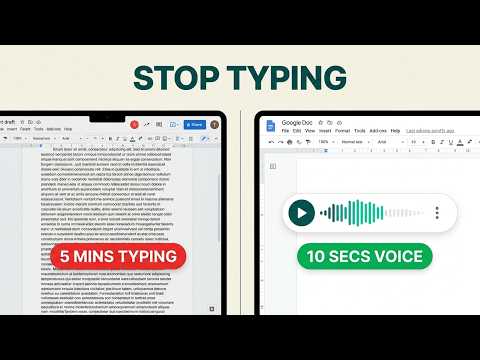
Talk & Comment: voice feedback and audio comments for teachers, on Google Docs, Classroom, Canvas, and any page you can open in Chrome. You know what you want to tell a student about their essay. Typing it takes ten minutes and comes out colder than you meant. Saying it takes thirty seconds, and they hear the encouragement in your voice. HOW IT WORKS 1. Click the Talk & Comment button on the page you are grading. 2. Talk. Stop when you are done. 3. Paste the link into the comment, the assignment, or the message. The student opens the link and listens. They do not install anything and do not need an account. It plays in any browser, on a phone or a laptop. WHERE IT WORKS • Google Docs, Slides, Forms and Classroom: record on the page where the work already is. • Canvas and any LMS that accepts a link. • Any page in Chrome. The button is there when you need it and can be hidden when you do not. WHAT YOU GET • Free: 25 recordings a month, 3 collections to organize them, shareable player links. No card. • Teacher Plus: 100 recordings a month, transcripts, translation. • Teacher Pro: unlimited recordings kept for as long as you subscribe, transcripts with translation, high-quality audio. • Schools and districts: team plans, signed data privacy agreements, admin controls for verified domains. Recordings on the Free plan are kept for at least 90 days. Paid plans keep everything while you are subscribed. You can delete a recording at any time from your library. PRIVACY AND SCHOOL USE • A recipient can open a public link without an account; team settings can restrict who may open a note. • Audio is stored on US servers in AWS S3 with AES-256 encryption at rest. • Under a written agreement with your school or district, Talk & Comment acts as a "school official" under FERPA. We have executed the SDPC National Data Privacy Agreement (v2.2). • Accounts for students under 13 can be limited to playback only. • Transcripts and other AI features never run on student accounts unless the school, district or team turns them on. • Student privacy, school agreements and under-13 use: see https://talkandcomment.com/legal/privacy and https://talkandcomment.com/legal/compliance Playback analytics: Talk & Comment collects recording-player impressions, listening start and end times, listening duration, recording identifiers, and random visitor and session identifiers to measure voice-note playback and provide usage reports. When you are signed in, playback events can be linked to your TAC account. See our Privacy Policy for details: https://talkandcomment.com/legal/privacy Install, record one note, paste the link.
4.0 out of 55.8K ratings
Details
- Version4.8.0
- UpdatedOctober 28, 2026
- FeaturesOffers in-app purchases
- Size779KiB
- Languages5 languages
- DeveloperTalk and Comment LLCWebsite
345 Capricorn Ave Oakland, CA 94611-2056 USEmail
zak@talkandcomment.comPhone
+1 650-460-4031 - TraderThis developer has identified itself as a trader per the definition from the European Union and committed to only offer products or services that comply with EU laws.
Privacy

Talk & Comment: Voice Feedback & Audio Comments for Teachers has disclosed the following information regarding the collection and usage of your data. More detailed information can be found in the developer's privacy policy.
Talk & Comment: Voice Feedback & Audio Comments for Teachers handles the following:
This developer declares that your data is
- Not being sold to third parties, outside of the approved use cases
- Not being used or transferred for purposes that are unrelated to the item's core functionality
- Not being used or transferred to determine creditworthiness or for lending purposes
Support
For help with questions, suggestions, or problems, please open this page on your desktop browser