

Talk & Comment: Voice Feedback & Audio Comments for Teachers

סקירה כללית
Leave voice feedback on student work in Google Docs, Classroom or any page. Share one link; students listen on their phone.
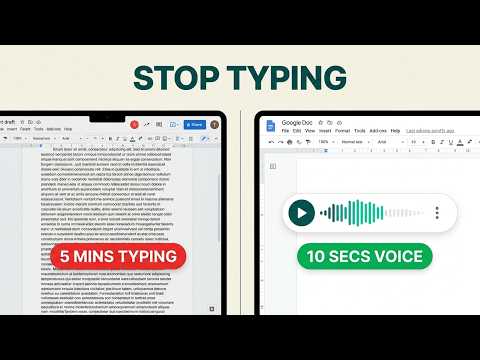
Talk & Comment: voice feedback and audio comments for teachers, on Google Docs, Classroom, Canvas, and any page you can open in Chrome. You know what you want to tell a student about their essay. Typing it takes ten minutes and comes out colder than you meant. Saying it takes thirty seconds, and they hear the encouragement in your voice. HOW IT WORKS 1. Click the Talk & Comment button on the page you are grading. 2. Talk. Stop when you are done. 3. Paste the link into the comment, the assignment, or the message. The student opens the link and listens. They do not install anything and do not need an account. It plays in any browser, on a phone or a laptop. WHERE IT WORKS • Google Docs, Slides, Forms and Classroom: record on the page where the work already is. • Canvas and any LMS that accepts a link. • Any page in Chrome. The button is there when you need it and can be hidden when you do not. WHAT YOU GET • Free: 25 recordings a month, 3 collections to organize them, shareable player links. No card. • Teacher Plus: 100 recordings a month, transcripts, translation. • Teacher Pro: unlimited recordings kept for as long as you subscribe, transcripts with translation, high-quality audio. • Schools and districts: team plans, signed data privacy agreements, admin controls for verified domains. Recordings on the Free plan are kept for at least 90 days. Paid plans keep everything while you are subscribed. You can delete a recording at any time from your library. PRIVACY AND SCHOOL USE • A recipient can open a public link without an account; team settings can restrict who may open a note. • Audio is stored on US servers in AWS S3 with AES-256 encryption at rest. • Under a written agreement with your school or district, Talk & Comment acts as a "school official" under FERPA. We have executed the SDPC National Data Privacy Agreement (v2.2). • Accounts for students under 13 can be limited to playback only. • Transcripts and other AI features never run on student accounts unless the school, district or team turns them on. • Student privacy, school agreements and under-13 use: see https://talkandcomment.com/legal/privacy and https://talkandcomment.com/legal/compliance Playback analytics: Talk & Comment collects recording-player impressions, listening start and end times, listening duration, recording identifiers, and random visitor and session identifiers to measure voice-note playback and provide usage reports. When you are signed in, playback events can be linked to your TAC account. See our Privacy Policy for details: https://talkandcomment.com/legal/privacy Install, record one note, paste the link.
4.0 מתוך 55.8K דירוגים
פרטים
- גרסה4.7.1
- עדכון אחרון13 באוקטובר 2026
- תכונותמציע רכישות מתוך האפליקציה
- גודל767KiB
- שפות5 שפות
- מפתחTalk and Comment LLCאתר
345 Capricorn Ave Oakland, CA 94611-2056 USאימייל
zak@talkandcomment.comטלפון
+1 650-460-4031 - עסקהמפַתח הזה ציין שהעסק שלו מוגדר לפי התקנות באיחוד האירופי, והתחייב להציע רק מוצרים או שירותים שעומדים בדרישות של חוקי האיחוד האירופי.
פרטיות

הפרטים הבאים נמסרו על ידי Talk & Comment: Voice Feedback & Audio Comments for Teachers בנוגע לאיסוף הנתונים שלך ולשימוש בהם. מידע מפורט זמין בprivacy policy של המפתח.
Talk & Comment: Voice Feedback & Audio Comments for Teachers מטפל בדברים הבאים:
המפַתח הזה מצהיר כי הנתונים שלך:
- לא יימכרו לצדדים שלישיים, למעט בתרחישים שאושרו
- לא משמשים או מועברים למטרות שאינן קשורות לפונקציונליות המרכזית של הפריט
- לא משמשים או מועברים לצורך קביעת מצב אשראי או לצורכי הלוואה
תמיכה
כדי לקבל עזרה לגבי שאלות, הצעות או בעיות, אפשר לפתוח את הדף הזה בדפדפן במחשב