


Overview
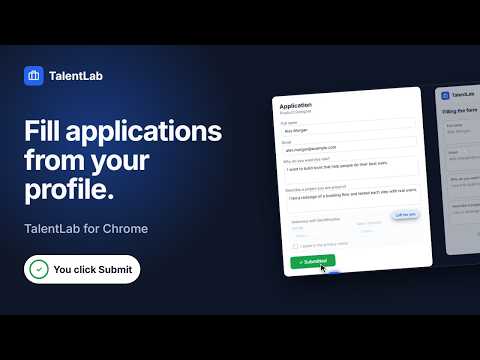
Draft job application answers from your TalentLab profile, review each one, then submit yourself. Save jobs, see match scores.
Every job application asks the same questions, and candidates type the same answers again and again. We built this extension so you can answer once, in your TalentLab profile, and reuse that work across applications, while every word that goes into a form stays your decision. The extension opens in Chrome's side panel, next to the application form. It reads the form's questions and uses AI to draft answers from your profile and your saved answers. Nothing goes into the form until you approve it, and you always click Submit yourself. HOW IT WORKS 1. Open the application. On a recognised application form, a small "Fill with TalentLab" button appears. Click it, or open the extension from the toolbar. 2. Get drafted answers, built from your profile and your saved answers. 3. Review and edit. Change any answer yourself, or use "Rewrite with AI" and say what to change. Save a good answer to reuse it next time. 4. Fill the form, then submit it yourself. "Clear form" empties the fields if you want a clean slate. SAVE JOBS AS YOU GO On a recognised job post, the button reads "Save to TalentLab". Save the job to your account and see its match score against your profile. When you add a job from a page, "Read this page for me" can pull the job details for you. While the side panel is open, it checks the address of the page you are on against your saved jobs, so it can offer to connect a job you saved before. WHAT IT NEVER DOES • It never submits an application. The Submit click is always yours. • It never sends a page's text in the background. The full text of a page leaves your browser only when you click "Read this page for me". A form's questions are sent only when you ask the extension to work on them (drafting, rewriting or saving an answer). • It does not draft demographic or equal-opportunity questions it recognises. Those are left for you to answer and are not sent for drafting. • It never ticks consent or declaration boxes it recognises. You agree to terms yourself, on the employer's page. • The on-page button only opens the side panel. Hide it on any site, or turn it off completely. WHERE IT WORKS Open the extension on an application form on most career sites. It has dedicated form support for the most widely used applicant tracking systems, and it recognises job pages on many other job platforms, where you can save the job to your account. WHAT YOU NEED • A free TalentLab account. • The extension is free to install on every plan. AI actions (drafted answers, rewrites, "Read this page for me" and match scores) use your account's credits, like every other AI feature. Privacy: https://talentlab.bio/privacy (section 11 covers the extension) Learn more: https://talentlab.bio
0 out of 5No ratings
Details
- Version1.0.0
- UpdatedOctober 21, 2026
- Size240KiB
- LanguagesEnglish
- DeveloperYonatan ShalevWebsite
Ha Migdalin Lehavot Ha Bashan 1212500 ILEmail
support@talentlab.bioPhone
+972 50-690-8357 - TraderThis developer has identified itself as a trader per the definition from the European Union and committed to only offer products or services that comply with EU laws.
Privacy

TalentLab: Job Search & Application Assistant has disclosed the following information regarding the collection and usage of your data. More detailed information can be found in the developer's privacy policy.
TalentLab: Job Search & Application Assistant handles the following:
This developer declares that your data is
- Not being sold to third parties, outside of the approved use cases
- Not being used or transferred for purposes that are unrelated to the item's core functionality
- Not being used or transferred to determine creditworthiness or for lending purposes
Support
For help with questions, suggestions, or problems, visit the developer's support site