

Takelight: Step by Step Guide Recorder & Screen Recorder with Captions

Overview
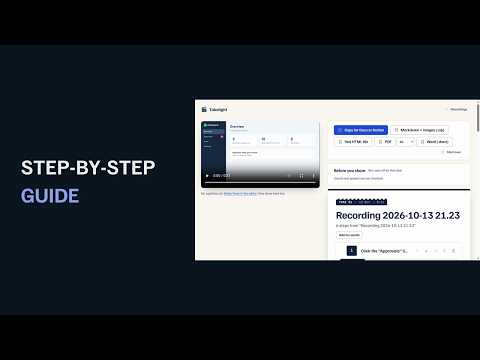
Step by step guide recorder: click through a task once, get a written guide with a picture per step. No account, no watermark.
Need to show someone how a task is done? Click through it once and Takelight writes the step by step guide: a numbered step with a picture for every click. • Instant guides: each click, typed field and page change becomes a step with a screenshot of the tab, with no video recorded • Step titles from the page itself: Click Save, Type in Email, Select Monthly in Plan, Go to example.com/billing • Crop, zoom, box, arrow and blur on any picture, with undo, and sensitive fields boxed out • Copy the guide for Google Docs, Notion or Confluence, or save it as Markdown or one HTML file • Pro adds video: record a tab, a window or the screen with your microphone and camera, captions from a speech model that runs inside the extension, and an editor that cuts silences, splits, trims and changes speed. Pro also adds Word and PDF guides, handbooks and unlimited guides No account needed. Guides, recordings and captions are made on your computer. Sent: your licence key when it is checked. Nothing else. PERMISSIONS • storage and unlimited storage: recordings and settings, kept on your computer, with no size limit for long recordings • tab capture and active tab: record the current tab when you start a tab recording • scripting: adds packaged scripts to the recorded tab, into the page, for clicks, shortcut keys, blur and drawing • optional access to all websites: asked when you press Start guide, or press Allow on all sites when a recording pauses on another site, and given back when the capture or recording that asked for it ends Every feature in detail, guides and the changelog: https://takelight-recorder.pages.dev Roadmap: https://takelight-recorder.pages.dev/roadmap
0 out of 5No ratings
Details
- Version1.3.0
- UpdatedOctober 23, 2026
- Size53.77MiB
- LanguagesEnglish
- DeveloperGiuseppe CastelluccioWebsite
Contrada Forno Alto, 35 Capo d'Orlando, ME 98071 ITEmail
peppecastellos245@gmail.comPhone
+39 324 811 7462 - TraderThis developer has identified itself as a trader per the definition from the European Union and committed to only offer products or services that comply with EU laws.
Privacy

Takelight: Step by Step Guide Recorder & Screen Recorder with Captions has disclosed the following information regarding the collection and usage of your data. More detailed information can be found in the developer's privacy policy.
Takelight: Step by Step Guide Recorder & Screen Recorder with Captions handles the following:
This developer declares that your data is
- Not being sold to third parties, outside of the approved use cases
- Not being used or transferred for purposes that are unrelated to the item's core functionality
- Not being used or transferred to determine creditworthiness or for lending purposes
Support
For help with questions, suggestions, or problems, visit the developer's support site