


Overview
Point at elements, comment and attach screenshots — structured UI feedback returns to your coding agent through TagLoop.
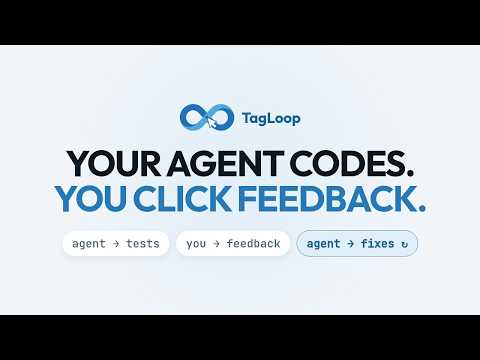
TagLoop closes the loop between your AI coding agent and a human reviewer. Your agent (Claude Code, Codex or any MCP-compatible tool) asks for a UI review. TagLoop opens the review checklist right on the page you're testing. You point at elements, comment, and submit — the agent receives structured review data (stable CSS selectors, element metadata, screenshots, your comments) and fixes the code. Then it asks you to verify. HOW A REVIEW WORKS • Your agent calls the request_tagloop_feedback MCP tool with a task checklist. • The extension shows the checklist on the reviewed page; each task can deep-link to the exact element. • Click any element to attach a comment. TagLoop records a stable CSS selector plus the element's tag, classes, attributes and visible text, so the agent can find the owning source code precisely. • Submit — everything returns to the agent as one structured result. FEATURES • Element picking with automatic per-element screenshots. • Reference images — paste a mockup next to a comment so the agent sees what was intended. • Voice notes: hold Ctrl+Space, speak, release — the transcript lands in the comment box (transcription via your own Groq API key, optional). • Review checklist with per-task notes and completion state. • Comment markers — overlay your existing feedback on the page. • Remote (mailbox) reviews: share a one-session reviewer code with a teammate or client — no account, no API key needed on their side. • Feedback rounds with diffs, so the agent can check whether its fixes landed. SECURITY • You connect the extension to your own TagLoop server with your own API key; a reviewer code grants access to exactly one session. • Reviewer text is scanned for prompt-injection attempts before it reaches your agent; suspicious items are flagged. • Screenshots are served through signed, retention-limited URLs and expire automatically. REQUIREMENTS TagLoop works together with a TagLoop server and an MCP-compatible AI coding agent. Sign up (or self-host) to get an API key, then add the TagLoop MCP server to your agent — setup instructions are shown in the dashboard for each supported agent. WHAT'S NEW IN 1.0.6 • Sign in to TagLoop directly from the extension — no API key to copy. The Chrome sign-in window shows which account and permissions you are authorizing. • Automatic session refresh and a Sign out button. API keys remain available as an alternative, and reviewer codes still let guests join a single session. • Separate sign-in for TagLoop Cloud and each self-hosted server, with OAuth credentials stored locally in the extension. • Refreshed settings with clearer account, reviewer access and voice/preferences sections, a prominent sign-in button, and improved light/dark layouts for narrow DevTools panels. • A redesigned, mobile-friendly authorization screen makes the requesting app, your account and requested access easier to check. • Requires Chrome 106 or newer. • Questions in the review checklist. When the agent needs a decision rather than a description, it lists the options and you click one — or several. Your pick returns as the agent's own answer id, so nothing gets lost in translation. • Answers travel with their question. Each result carries what was asked, on which element, and every option that was offered, so an agent picking the session up later still understands the decision. Exporting and re-importing a session keeps your answers. • Change your mind freely — Clear answer undoes a pick. • "Mark as done" replaces the task checkbox. Next to a question's answers a checkbox read as one more option; plain tasks now close with a button, and answering a question is what completes it. • Completed tasks stay readable — no more strikethrough over the instruction you were checking against. WHAT'S NEW IN 1.0.3 • Related elements keep multi-element instructions together under one primary feedback item. • Mark up image adds arrows, rectangles, freehand strokes and numbered typed or dictated comments to element screenshots and reference images. • XPath is included with element metadata; an optional computed-style snapshot adds bounded layout and visual context. • optional calculated css styles included with element metadata. WHAT'S NEW IN 1.0.2 • Toolbar popup with setup instructions. Clicking the TagLoop icon used to do nothing, which made the extension look broken — TagLoop runs in a DevTools panel, and nothing told you that. The popup now walks you through opening DevTools (mouse and keyboard, including the macOS shortcut) and finding the TagLoop tab, which can hide behind the DevTools overflow menu. • Consistent look between popup and panel. The popup now draws its colors, spacing and typography from the same design tokens as the DevTools panel, so the two surfaces stay visually in step.
5 out of 51 rating
Details
- Version1.0.6
- UpdatedSeptember 26, 2026
- Size237KiB
- LanguagesEnglish
- DeveloperWebsite
Email
tagloop@aquasite.pl - Non-traderThis developer has not identified itself as a trader. For consumers in the European Union, please note that consumer rights do not apply to contracts between you and this developer.
Privacy

TagLoop — UI review for AI agents has disclosed the following information regarding the collection and usage of your data. More detailed information can be found in the developer's privacy policy.
TagLoop — UI review for AI agents handles the following:
This developer declares that your data is
- Not being sold to third parties, outside of the approved use cases
- Not being used or transferred for purposes that are unrelated to the item's core functionality
- Not being used or transferred to determine creditworthiness or for lending purposes
Support
For help with questions, suggestions, or problems, visit the developer's support site