

Tactiq: AI note taker for Google Meet, Zoom and MS Teams

Overview
Meeting note taker and AI transcription for Google Meet, Zoom, and MS Teams.
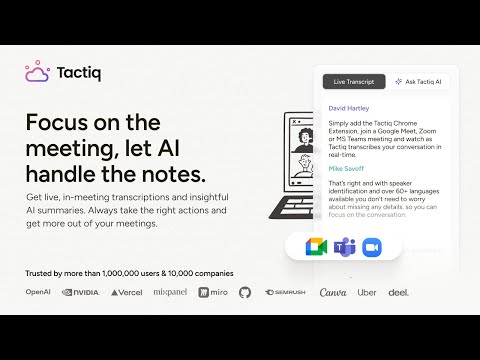
No more taking notes or missing details. Tactiq transcribes and summarizes meetings for you! Tactiq is an AI meeting notes and transcription extension for Google Meet, Zoom and MS Teams. TRUSTED BY 1,000,000+ PEOPLE ACROSS 30,000+ COMPANIES - Live transcription in Google Meet, Zoom and MS Teams, running in your browser. No bot joins your call. No meeting recording is required. - AI meeting notes, summaries, action items and key takeaways, written the moment the call ends. - Ask questions about any past meeting. You get the answer with the quote it came from. - Export to Google Docs, Notion, Word or PDF. Send summaries to Slack or MS Teams. - Shared, permissioned team memory. New joiners inherit months of context. - Speaker labels, timestamps and in-meeting screenshots. WHAT TACTIQ DOES - Real-time transcription in Google Meet, Zoom and MS Teams, running in your browser. No bots dial into the meeting. No recording is required. - AI meeting summaries, action items and key takeaways, written the moment the call ends. - Highlight key insights and tag tasks while the meeting is still running. - Save chat messages, links and comments from the call into the transcript. - Take screenshots in Google Meet, Zoom and MS Teams for easy reference. - Speaker labels and timestamps on every line. WHAT YOU CAN DO WITH YOUR MEETINGS - Search spoken text across every transcript you have. Find the discussion, not just the meeting. - Ask your AI meeting assistant a question. You get the answer with the quote it came from. - Draft follow-up emails, meeting minutes and reports in seconds. - Translate, paraphrase or explain any part of a meeting. - Save your own prompts as reusable AI meeting templates. - Powered by frontier models from OpenAI and Anthropic, including GPT-6 and Claude Opus. WORKS WITH CLAUDE, GEMINI AND YOUR AI AGENTS Tactiq is a verified connector in Claude's directory, reviewed by Anthropic for quality and security. Connect once and Claude can search everything you have recorded. Ask for a quote and Claude gives you the source with it: the speaker, the timestamp, and a link that opens the call at that exact second. You can check the answer instead of taking it on trust. The Tactiq connector is built on the Model Context Protocol (MCP), an open standard, so it also works in ChatGPT and in any other AI assistant or agent tool that supports MCP. FOR CLAUDE TEAM AND CLAUDE ENTERPRISE A workspace Owner or admin can enable the Tactiq connector once for the whole organisation. Each member then signs in with their own Tactiq account. Supports SAML SSO and Okta. SECURITY AND PRIVACY - SOC 2 Type II and GDPR compliant. - Tactiq does not train models on your content, and the AI providers Tactiq uses do not train on data submitted through their APIs. - Transcripts are stored securely and are private to you by default. You choose what to share and with whom. - Tactiq runs in your browser, on your meeting tabs. Nothing dials into the call, and no recording is required. - Enterprise controls are available, including admin settings for ChatGPT Enterprise and Claude Enterprise. - Privacy centre: https://tactiq.io/privacy-center GETTING STARTED 1. Install this extension. 2. Join a call in Google Meet, Zoom or MS Teams. The meeting transcript starts automatically. 3. Read your summary and action items when the call ends. 4. To use your meetings in Claude, connect at https://tactiq.io/claude Free to start. No credit card required. LINKS Website: https://tactiq.io Help centre: https://help.tactiq.io Tactiq - AI meeting notes for people, teams, and agents.
4.9 out of 54.5K ratings
Details
- Version3.1.7320
- UpdatedOctober 21, 2026
- FeaturesOffers in-app purchases
- Size2.11MiB
- Languages40 languages
- DeveloperTactiq HQ Pty LtdWebsite
Level 8, 11 York St Sydney, NSW 2000 AUEmail
team@tactiq.ioPhone
+61 402 742 427 - TraderThis developer has identified itself as a trader per the definition from the European Union and committed to only offer products or services that comply with EU laws.
- D-U-N-S748402507
Privacy

Tactiq: AI note taker for Google Meet, Zoom and MS Teams has disclosed the following information regarding the collection and usage of your data. More detailed information can be found in the developer's privacy policy.
Tactiq: AI note taker for Google Meet, Zoom and MS Teams handles the following:
This developer declares that your data is
- Not being sold to third parties, outside of the approved use cases
- Not being used or transferred for purposes that are unrelated to the item's core functionality
- Not being used or transferred to determine creditworthiness or for lending purposes
Support
For help with questions, suggestions, or problems, visit the developer's support site