

TabVault — Tab & Memory Manager

Overview
Close tab overload in one click. Every tab is saved with its details: search, reopen, or send to Notion, Obsidian or DuckDB.
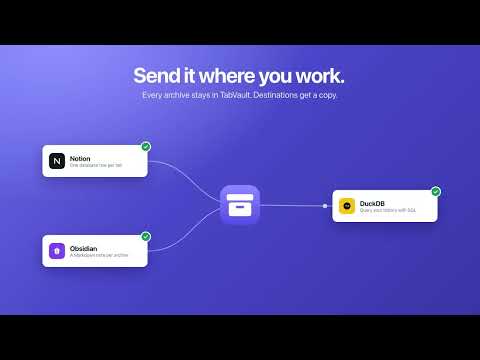
Too many tabs slow your computer down — and you keep them open because you might need them later. TabVault fixes both. ONE CLICK, NOTHING LOST • Archive & close all: every tab is saved first (title, link, description, your tab groups), then closed. Memory is free again. • Pinned tabs, tabs playing audio and the sites you choose (mail, calendar…) stay open. • Undo anytime: reopen a whole session in its original windows and tab groups. Big sessions come back asleep, so nothing freezes. FREE MEMORY WITHOUT CLOSING • See which tabs use the most memory and put background tabs to sleep with one click — or automatically after a while. • Close duplicate tabs. Group tabs by site. A live RAM meter and a tab counter on the toolbar icon. FIND ANYTHING AGAIN • Search everything you ever closed — titles, links, notes and tags. • Browse by session, by site, or as one list. Add notes, tags and stars. • Insights: your top sites, daily activity, and the pages you keep coming back to. SEND IT WHERE YOU WORK (optional) • Notion — one database row per tab. • Obsidian — one Markdown note per archive, Dataview-ready. • DuckDB — query your browsing history with SQL. YOUR WAY • Right-click menu: archive this tab, tabs to the right, a whole site. • Keyboard shortcuts, a side panel that stays open, auto-archive for tabs you haven't opened in days, auto-tags by site. PRIVATE BY DESIGN • Your archive stays in your browser. No account, no ads, no tracking, nothing sold. • Access to page content is optional and only used for memory estimates and page descriptions. • Data only goes to Notion, Obsidian or DuckDB if you connect them yourself. TabVault is free. If it helps you, a rating helps others find it.
0 out of 5No ratings
Details
- Version1.0.0
- UpdatedNovember 2, 2026
- Offered bynitipon.cha
- Size103KiB
- LanguagesEnglish
- DeveloperLSEG
Pumarin Rangsit 807/151 Lumlukka 12150 THEmail
nitipon.cha@gmail.com - Non-traderThis developer has not identified itself as a trader. For consumers in the European Union, please note that consumer rights do not apply to contracts between you and this developer.
Privacy

TabVault — Tab & Memory Manager has disclosed the following information regarding the collection and usage of your data. More detailed information can be found in the developer's privacy policy.
TabVault — Tab & Memory Manager handles the following:
This developer declares that your data is
- Not being sold to third parties, outside of the approved use cases
- Not being used or transferred for purposes that are unrelated to the item's core functionality
- Not being used or transferred to determine creditworthiness or for lending purposes
Support
For help with questions, suggestions, or problems, please open this page on your desktop browser