


Overview
Tab workspace and navigation dashboard: grids, Chrome split view and favorites, plus optional local media tools.
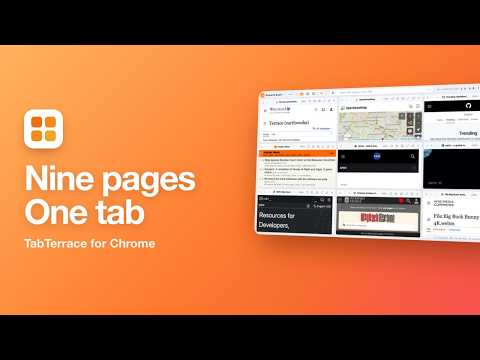
TabTerrace turns Chrome into a tab workspace. Put up to nine live web pages side by side in one tab, pair any two tabs in Chrome's native split view, and keep your favorite sites, saved projects and everyday tools on one dashboard. TAB GRID • Merge open tabs into a grid of up to 9 cells. Every cell is a real, live page: scroll, click links, sign in, fill in forms and watch video. • More than 30 layouts. Drag dividers to resize, drag cells to swap — pages never reload. • Each cell has its own back and forward buttons, reload, zoom and "restore as tab". • Close the grid and every page returns as a normal tab. SPLIT VIEW • Pair any two tabs in Chrome's built-in split view (Chrome 155 or later). Works with every site, including ones that can't be shown in a grid. • Name each pair and switch a two-cell grid to split view and back. PROJECTS • Grids and split views are saved automatically. Name them, add tags, and reopen the whole set in one click. • Star a project to sync it through your Chrome account. DASHBOARD Click the TabTerrace icon to open your dashboard: search, quick links grouped with tags, saved grids and splits, weather and a clock — over scenery you choose. Turn modules on or off to keep it minimal. BUILT-IN TOOLS (all optional) • To-dos with a simple list or an urgent/important matrix, plus achievements • Calendar with public holidays, Chinese lunar dates and countdowns to important dates • Quick notes with formatting and Markdown • Focus timer and countdown timer • World radio, ambient sounds and open video libraries • Toolbox: calculator, date math, unit and currency conversion, timestamps, QR codes PRIVATE BY DESIGN • No account, no ads, no analytics. • Your data stays in your browser. Optional backup goes to a folder in your own Google Drive. • Available in 20 languages. User guide: https://tabterrace.com/features Privacy policy: https://tabterrace.com/privacy-policy
0 out of 5No ratings
Details
- Version1.1.1
- UpdatedOctober 29, 2026
- Size46.32MiB
- Languages20 languages
- DeveloperWebsite
Email
princehuangxulong@gmail.com - Non-traderThis developer has not identified itself as a trader. For consumers in the European Union, please note that consumer rights do not apply to contracts between you and this developer.
Privacy

TabTerrace – Tab Grid & Split View has disclosed the following information regarding the collection and usage of your data. More detailed information can be found in the developer's privacy policy.
TabTerrace – Tab Grid & Split View handles the following:
This developer declares that your data is
- Not being sold to third parties, outside of the approved use cases
- Not being used or transferred for purposes that are unrelated to the item's core functionality
- Not being used or transferred to determine creditworthiness or for lending purposes
Support
For help with questions, suggestions, or problems, please open this page on your desktop browser