

TabTab Go
1 rating
)
Overview
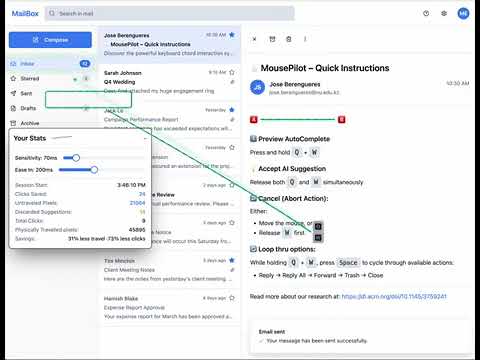
Region-based keyboard navigation for Gmail. Press Tab to navigate by regions, then drill down to specific elements.
TabTab Go is a lightweight browser extension that enables keyboard-based navigation of prominent buttons and links on webpages. By intercepting Tab-based shortcuts, the extension allows users to cycle through visible, focusable elements and visually highlight the current target—without using the trackpad or mouse. TabTab Go runs locally as a content script and operates only on the currently viewed page. It does not collect, store, or transmit page content, browsing history, or user data. This extension is useful for users who prefer keyboard-driven navigation, experience reduced pointing precision, or want to minimize hand movement during web interaction.
5 out of 51 rating
Details
- Version1.2.1
- UpdatedJune 10, 2026
- Offered byjose.berengueres
- Size49.09KiB
- LanguagesEnglish
- Developer
Email
jose.berengueres@nu.edu.kz - Non-traderThis developer has not identified itself as a trader. For consumers in the European Union, please note that consumer rights do not apply to contracts between you and this developer.
Privacy

This developer declares that your data is
- Not being sold to third parties, outside of the approved use cases
- Not being used or transferred for purposes that are unrelated to the item's core functionality
- Not being used or transferred to determine creditworthiness or for lending purposes
Support
For help with questions, suggestions, or problems, please open this page on your desktop browser