

Tabspire
8 ratings
)
Overview
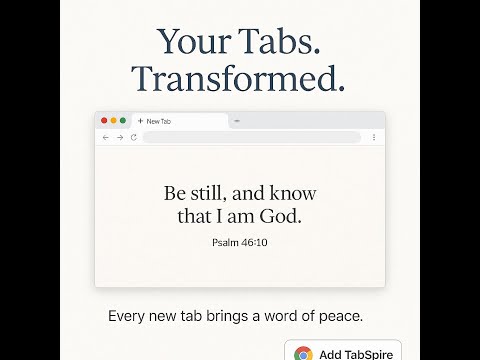
Tabspire delivers daily inspiration with a random scripture and beautiful background each time you open a new tab.
Tabspire — More Than a Verse. A Companion for Your Day. Turn every new tab into a moment that matters. Tabspire started as a simple way to see a Bible verse when you open your browser. Today, it's grown into something more — a calm, beautiful space that meets you wherever you are: needing peace, chasing a goal, or just getting through the workday. 🕊️ Start simple A random scripture or devotional, paired with stunning Unsplash backgrounds. Distraction-free. Always there, even offline. 💼 Go deeper, when you're ready Switch on Work Mode for daily priorities, focus reminders, and wisdom for your workday. Or go Full and set faith goals, track progress, and get a weekly AI-powered reflection on how you're doing. 🎧 Hear it, not just read it Built-in voice narration brings scripture to life — including free, high-quality AI voices. 📖 Make it yours Save verses that speak to you in your private journal. Meditate on any verse in three simple stages — what it says, what it means, how it touches your day.
4.9 out of 58 ratings
Details
- Version1.1.24
- UpdatedJune 18, 2026
- Offered bynanletechltd
- Size11.23MiB
- LanguagesEnglish (United States)
- Developer
Email
nanletechltd@gmail.com - Non-traderThis developer has not identified itself as a trader. For consumers in the European Union, please note that consumer rights do not apply to contracts between you and this developer.
Privacy

Tabspire has disclosed the following information regarding the collection and usage of your data. More detailed information can be found in the developer's privacy policy.
Tabspire handles the following:
This developer declares that your data is
- Not being sold to third parties, outside of the approved use cases
- Not being used or transferred for purposes that are unrelated to the item's core functionality
- Not being used or transferred to determine creditworthiness or for lending purposes
Support
For help with questions, suggestions, or problems, please open this page on your desktop browser