Item logo image for TabSift

TabSift

5.0(

1 rating

)
Item media 4 (screenshot) for TabSift
Item video thumbnail
Item media 2 (screenshot) for TabSift
Item media 3 (screenshot) for TabSift
Item media 4 (screenshot) for TabSift
Item video thumbnail
Item media 2 (screenshot) for TabSift
Item media 3 (screenshot) for TabSift
Item media 4 (screenshot) for TabSift

Overview

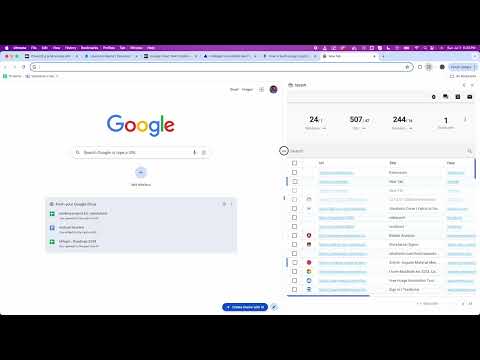
Sort and organize your browser tabs across windows and groups. Data is 'local-first' so uninstalls will remove suspended urls.

Effortlessly sift through all open windows and tabs to quickly locate the ones you need while efficiently discarding those that are no longer relevant.

Details

  • Version
    0.3.41
  • Updated
    January 28, 2026
  • Offered by
    Improving Startups LLC
  • Size
    2.48MiB
  • Languages
    English (United States)
  • Developer
    Improving Startups
    2002 Karnes Dr Keller, TX 76248-8386 US
    Email
    support@improvingstartups.com
    Phone
    +1 817-226-5740
  • Trader
    This developer has identified itself as a trader per the definition from the European Union and committed to only offer products or services that comply with EU laws.
  • D-U-N-S
    035148751

Privacy

Manage extensions and learn how they're being used in your organization

TabSift has disclosed the following information regarding the collection and usage of your data. More detailed information can be found in the developer's privacy policy.

TabSift handles the following:

Personally identifiable information

This developer declares that your data is

  • Not being sold to third parties, outside of the approved use cases
  • Not being used or transferred for purposes that are unrelated to the item's core functionality
  • Not being used or transferred to determine creditworthiness or for lending purposes

Support

Related

Find on Page (All Tabs and Windows)

0.0

Find elements across all tabs and windows at once.

Refresh All Tabs

5.0

Refresh all tabs, bypassing locally stored cache (aka hard-refresh). That is all.

Duplicate Tab Remover

4.0

Keep browser clean and organizedby removing duplicate tabs and consolidating tabs into a single window.

Close All Tabs

4.9

Find out how to close all tabs in chrome with one click. Delete, remove, clear, and close all tabs at once in google easily!

Tab Manager Pro

5.0

Organize and manage your Chrome tabs with categories

Undo Closed Tabs

0.0

Browse and reopen recently closed tabs and windows. Restores tabs to their original position.

Tab Groups List

3.8

Lists all tab groups across all browser windows. On a click navigates to the selected group.

1Tab

5.0

A cleaner way to manage Chrome tabs with auto grouping, smart collapsing, and fast tab search.

WiseTabs: Smart Tab Organizer

4.0

Organize Chrome tabs into clear groups in one click, so work, research, and everyday browsing stay easy to manage.

Tab Crab

4.0

Manage tabs from all windows in one place. Automatically groups by website, helping you consolidate, sort, and navigate with ease.

MoneySherlock Tab Helper

5.0

Automatically arrange windows side-by-side and open a set of links.

Tab URL Grabber - extract links and copy urls from tabs

5.0

Grabs URLs from tabs and allows you to remove duplicates and copy them to clipboard.

Find on Page (All Tabs and Windows)

0.0

Find elements across all tabs and windows at once.

Refresh All Tabs

5.0

Refresh all tabs, bypassing locally stored cache (aka hard-refresh). That is all.

Duplicate Tab Remover

4.0

Keep browser clean and organizedby removing duplicate tabs and consolidating tabs into a single window.

Close All Tabs

4.9

Find out how to close all tabs in chrome with one click. Delete, remove, clear, and close all tabs at once in google easily!

Tab Manager Pro

5.0

Organize and manage your Chrome tabs with categories

Undo Closed Tabs

0.0

Browse and reopen recently closed tabs and windows. Restores tabs to their original position.

Tab Groups List

3.8

Lists all tab groups across all browser windows. On a click navigates to the selected group.

1Tab

5.0

A cleaner way to manage Chrome tabs with auto grouping, smart collapsing, and fast tab search.

Google apps