


Overview
After a crash or a bad update, Tabsafe restores every window and tab from a checked backup file on your computer.
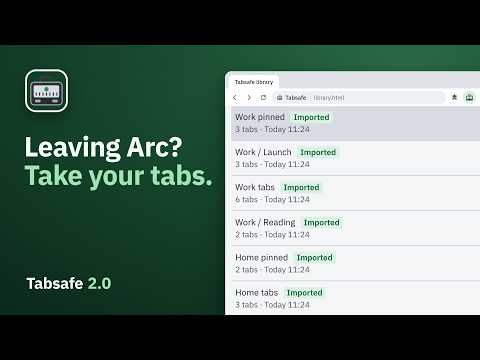
Lost your tabs after a crash or a bad update? Tabsafe is a tab session manager that saves your windows and tabs on its own, checks every backup, and brings a session back in one click. A side panel beside your tabs holds your named sessions and every snapshot. Everything it saves stays on your computer. • Automatic snapshots of your session, each one checked after it is saved • A restore card after a restart that lost tabs, with the windows, pinned tabs and tab groups from just before • Every closed tab logged and searchable • Loss alarm: the popup says when the library holds less than its last save, and offers the restore • Search inside saved pages: the text of each page, kept in your browser and off until you turn on Search page text. Free searches the newest pages, Pro every page • Sessions that follow their window as tabs change, with every window on Pro • A library page with search across everything, collections you send tabs to from the page menu or a shortcut, and Save and close for tabs you are done with for now • Share a collection as one HTML file that opens in any browser • Restore at browser startup (Pro) • Window size, position and tab order come back on restore • Scheduled backup files in your Downloads folder, outside the browser profile, plus imports from other session managers and from Arc • Drive sync, off until you turn it on Free keeps unlimited named sessions, manual backup and every import, with no account, and works offline. Pro adds search inside every saved page, restore at browser startup, sessions across every window, automatic parking of idle tabs, a library check, long history and Drive sync. Pro is a pass for a set time or one payment for Pro forever. Full refund within two weeks, no questions asked. Plans, trial and refund terms: https://tabsafe.exotools.dev/pricing PRIVACY Sent to our server: the licence key, the product name, a random id for this browser and the other fields in the privacy policy, when you activate Pro, about once a day after, and when you remove or replace a key; the trial's start and end, rounded to the hour, when you start a trial, kept only in a cookie in your browser; a diagnostics report, when you press Send. Drive sync, if you turn it on, writes your library, encrypted with your passphrase, to your own Google Drive. Privacy policy: https://tabsafe.exotools.dev/privacy PERMISSIONS • tabs: the address and title of your open tabs • storage and unlimited storage: snapshots, closed tabs, named sessions and settings, kept on your computer • alarms: automatic saves, scheduled backup files and the library check • downloads: files in a Tabsafe folder in your Downloads folder • tab groups: group names and colours, kept with your tabs • side panel: the log beside your tabs • context menus: Send to Inbox on a page, a tab and the toolbar button • scripting, and optional access to all sites (<all_urls>): the access is asked only when you turn on Search page text, and both read the text of the open pages when you save; that text stays in your browser • offscreen: a hidden page that writes the file • identity and www.googleapis.com, both optional: asked only when you turn on Drive sync, to sign in to Google and reach your Drive app folder Every feature in detail, guides and the changelog: https://tabsafe.exotools.dev Suggest a feature: https://tabsafe.exotools.dev/roadmap
0 out of 5No ratings
Details
- Version2.1.5
- UpdatedNovember 22, 2026
- Size364KiB
- Languages7 languages
- DeveloperGiuseppe CastelluccioWebsite
Contrada Forno Alto, 35 Capo d'Orlando, ME 98071 ITEmail
peppecastellos245@gmail.comPhone
+39 324 811 7462 - TraderThis developer has identified itself as a trader per the definition from the European Union and committed to only offer products or services that comply with EU laws.
Privacy

Tabsafe: Tab Session Backup & Restore After a Crash has disclosed the following information regarding the collection and usage of your data. More detailed information can be found in the developer's privacy policy.
Tabsafe: Tab Session Backup & Restore After a Crash handles the following:
This developer declares that your data is
- Not being sold to third parties, outside of the approved use cases
- Not being used or transferred for purposes that are unrelated to the item's core functionality
- Not being used or transferred to determine creditworthiness or for lending purposes
Support
For help with questions, suggestions, or problems, visit the developer's support site