

TabProxy — Proxy per Tab, User-Agent & Wallet Notes

Overview
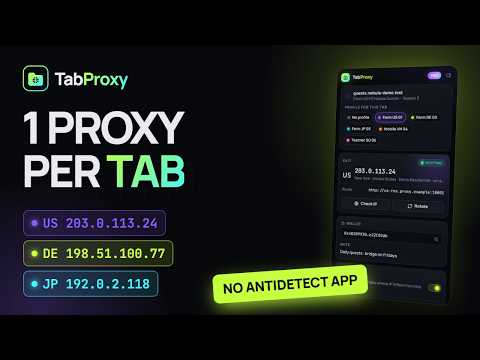
Give every tab its own proxy, User-Agent, wallet and notes. Built for airdrop and multi-account work — no antidetect browser.
Every tab, its own identity. TabProxy lets you work many accounts in the Chrome you already use. Assign a profile to a tab and that tab leaves through the profile's proxy — with its wallet address and notes pinned on the page so you never connect the wrong wallet in the wrong tab. HOW IT WORKS Chrome has one proxy setting per browser profile, so TabProxy switches it to the exit of the tab you are looking at. Turn on Strict Isolation and every other tab on a different exit is paused at the network level until you switch to it — a background tab never sends a request through another account's IP. FEATURES • Proxy per tab — HTTP, HTTPS, SOCKS4, SOCKS5; paste host:port:user:pass in any common format • Strict Isolation — background tabs on a different IP are held, never leaked • Wallet & notes on the page, profile name in the tab title and a coloured tab group • Check IP in one click; 1-click rotation for providers with a change-IP link • User-Agent per tab (Windows, macOS, Android, iPhone presets or custom) • Tabs opened from an assigned tab inherit its profile • Bulk import hundreds of proxies; export/import backups PRIVACY Profiles, proxy logins, wallets and notes stay in your browser. Our server only knows your Google account and your payments. No analytics, no ads, no selling data. FREE vs PRO Free: 3 profiles, proxy per tab, wallet notes, tab labels. Pro: unlimited profiles, Strict Isolation, User-Agent per tab, IP rotation, bulk import. SUPPORT: thangnd520@gmail.com
0 out of 5No ratings
Details
- Version0.1.0
- UpdatedSeptember 28, 2026
- Offered byMochi Studio
- Size166KiB
- LanguagesEnglish
- Developer
Email
thangnd520@gmail.com - Non-traderThis developer has not identified itself as a trader. For consumers in the European Union, please note that consumer rights do not apply to contracts between you and this developer.
Privacy

TabProxy — Proxy per Tab, User-Agent & Wallet Notes has disclosed the following information regarding the collection and usage of your data. More detailed information can be found in the developer's privacy policy.
TabProxy — Proxy per Tab, User-Agent & Wallet Notes handles the following:
This developer declares that your data is
- Not being sold to third parties, outside of the approved use cases
- Not being used or transferred for purposes that are unrelated to the item's core functionality
- Not being used or transferred to determine creditworthiness or for lending purposes
Support
For help with questions, suggestions, or problems, please open this page on your desktop browser