

Tabot

Overview
Private, local browser activity timeline. Thinking across tabs.
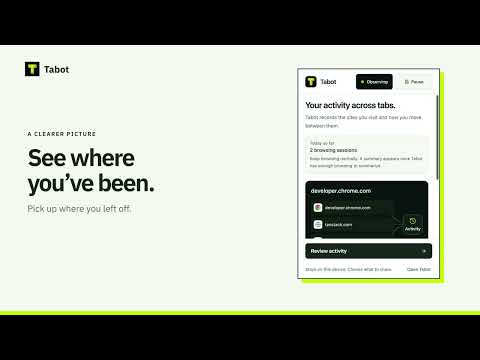
Thinking Across Tabs Tabot helps you find your way back through your browsing. See how pages and sessions connect in a private activity map, and pick up where you left off. Review browsing summaries, explore session details, estimate active time on websites, and discover recurring patterns. Search or export your activity, and pause tracking whenever you want. Want to make sense of your browsing? Connect Tabot to ChatGPT and ask questions about a time period, website, or pattern. Tabot shares only a sanitized summary relevant to your question—not your full browsing history. ChatGPT integration is entirely optional. Your privacy stays in your hands. Your browsing history stays on your device and is never sent to Tabot servers. If you choose to use ChatGPT, the request is shared with OpenAI and handled according to OpenAI’s privacy terms. For support, visit https://github.com/Shanvit7/tabot/issues.
0 out of 5No ratings
Details
- Version0.2.2
- UpdatedOctober 14, 2026
- Offered byShanvit7
- Size820KiB
- LanguagesEnglish
- Developer
Email
shanvit7@gmail.com - Non-traderThis developer has not identified itself as a trader. For consumers in the European Union, please note that consumer rights do not apply to contracts between you and this developer.
Privacy

Tabot has disclosed the following information regarding the collection and usage of your data. More detailed information can be found in the developer's privacy policy.
Tabot handles the following:
This developer declares that your data is
- Not being sold to third parties, outside of the approved use cases
- Not being used or transferred for purposes that are unrelated to the item's core functionality
- Not being used or transferred to determine creditworthiness or for lending purposes
Support
For help with questions, suggestions, or problems, please open this page on your desktop browser