

TabNoodle
1 rating
)
Overview
One-click tab cleanup across all windows
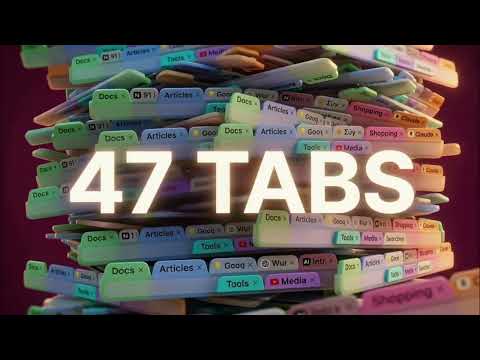
You have 47 tabs open. You don't remember opening most of them. TabNoodle scores every tab and tells you which 12 actually matter. One click. It's done. ━━━━━━━━━━━━━━━━━━━━━━━━━━━━━━━ Tabs don't close themselves. Every single one burns about 50 MB of your laptop's memory, and somewhere in there is the article you actually wanted to read. TabNoodle is a free Chrome extension that ends the guilt. Open the popup. It reads every tab across every window, scores them by type and engagement, and tells you — clearly, specifically — what to keep, what to archive, and what to close. Confirm, and your browser is clean. No account. No cloud. No subscription. Everything runs locally on your machine. ━━━ HOW IT WORKS ━━━ Click the TabNoodle icon. You'll see: How many tabs you have open, across how many windows A "Keeping" count and a "Closing" count — the verdict, at a glance Your current aggressiveness setting (Gentle, Balanced, or Ruthless) Four action buttons: Auto Group, Review Tabs, Auto Clean, and Swipe Mode Pick one. That's the whole workflow. Every cleanup has full undo. Nothing is ever gone for good. ━━━ FEATURES ━━━ ONE-CLICK AUTO CLEAN The fastest path. TabNoodle applies its scoring engine at your chosen aggressiveness level and closes the low-value tabs immediately. Takes about half a second, even on heavy sessions. Respects pinned tabs (never closed) Respects audible tabs (your music survives) Respects the active tab (your current work survives) Protects tabs you've touched in the last few minutes If you don't like the result, hit Ctrl+Shift+T or use the in-extension undo. REVIEW MODE For when you want to see every decision before confirming. TabNoodle groups your tabs by category (Docs, Email, AI, Dev, Media, Tools, Searches, Shopping, and more) and shows you exactly which tabs fall into which bucket. You can: Rescue any individual tab with one click Close an entire category with "close all" See which tabs have been flagged for closing and why Confirm the whole cleanup once you're happy This is the mode most people end up preferring. It takes 30 seconds and you stay in control. SWIPE MODE For when you have 50 tabs and zero patience. TabNoodle shows you one tab at a time — the favicon, the title, the URL, the category. You swipe: Left arrow to close Right arrow to keep Or use ← / → on your keyboard Like a dating app, but for browser tabs. A full cleanup of 50 tabs takes about 90 seconds. AUTO-GROUPING TabNoodle reads your tabs and files them into Chrome's native tab groups by category: Docs — Notion, Google Docs, Confluence, Dropbox Paper Articles — blog posts, long reads, newsletters Media — YouTube, Netflix, Spotify, HBO Max, streaming Tools — GitHub, Figma, Linear, Supabase, dev tools Searches — Google results and search pages Email — Gmail, Outlook, Fastmail Shopping — Amazon, eBay, marketplace sites AI — ChatGPT, Claude, Perplexity Social — Twitter/X, LinkedIn, Reddit Your tab bar goes from chaos to categorized in one click. WINDOW CONSOLIDATION Three Chrome windows? Five? Twelve? Merge them into one with a single click. Respects your Chrome profiles, so work tabs and personal tabs stay separate when you've set that up. MEDIA AUTO-PAUSE When you open the TabNoodle popup, any playing media pauses automatically. No more jumpscares from that video you forgot was buffering in another window. The now-playing indicator shows you which tab is making noise before you close it. AGGRESSIVENESS SLIDER You set the dial. GENTLE — Closes duplicate tabs and long-forgotten searches. Keeps anything you've touched in the last hour. Clears about 20% of tabs. BALANCED — Clears media, profile pickers, and low-engagement tabs. Keeps your Docs, Tools, and active research. Clears about 50% of tabs. This is the default. RUTHLESS — If it's not pinned, audible, or the active tab, it's gone. For when you really need to start fresh. Clears about 80% of tabs. KEYBOARD SHORTCUTS Every major action has a shortcut: G — Auto Group R — Review Tabs C — Auto Clean S — Swipe Mode Chrome's own shortcuts still work. Ctrl+Shift+T restores your most recently closed tabs. STATS TabNoodle keeps a running count of: Total tabs cleaned Total cleanup sessions Your member-since date It's a small, stupid metric that turns out to be oddly satisfying. No shame in it. ━━━ PRIVACY BY DESIGN ━━━ TabNoodle is the kind of extension that shouldn't need to phone home — so it doesn't. WHAT LEAVES YOUR BROWSER: Nothing. WHAT WE COLLECT: Nothing. WHAT WE STORE ON OUR SERVERS: We don't have servers. Specifics: No accounts. There is no sign-up. There is no login. We don't know who you are, and we don't want to. No analytics. No Google Analytics, no Mixpanel, no Segment, no Sentry, no anything. Your usage patterns are yours. No telemetry. We don't track which features you use, how often you use them, or when. No tab data transmitted. Your tab titles and URLs stay on your machine. Always. No ads. The extension is free because it's cheap to run (it runs on your computer, not ours), not because your attention is the product. No third-party SDKs. We don't bundle anyone else's tracking code. All scoring, grouping, and classification happens locally in your browser. The extension has no backend — there is literally no server to compromise. Source code: the extension does not obfuscate its JavaScript. Review it yourself if you want. Chrome Web Store also makes the source available to verified researchers. ━━━ WHO IT'S FOR ━━━ TabNoodle is built for people who: Live in their browser all day Have ever said "I'll close these later" about a window with 40+ tabs Research-heavy workers: developers, writers, analysts, consultants, grad students People who keep tabs open as a to-do list and then the to-do list becomes the problem Anyone who's ever had their laptop fan spin up because Chrome ate all the RAM People who care about privacy and don't want yet another extension phoning home TabNoodle is probably NOT for: People with 3 tabs open (you're doing great, keep going) People who have a tab management system they already love (use that) People who want AI-powered features right now — those are coming in the Pro tier later ━━━ WHAT'S COMING: PRO TIER ━━━ The core cleanup features are free and will stay free. A Pro tier is in development for people who want more automation: AI CLASSIFICATION — Smarter grouping powered by Claude Haiku. "Japan trip research," "React debugging session" — labels that actually describe what you're doing, not just which domain you're on. SCHEDULED AUTO-CLEANUP — Daily, every three days, or weekly. Background cleanups with a notification and one-click undo afterwards. Never auto-closes pinned, audible, or active tabs. ARCHIVE BROWSER — A searchable log of every tab you've ever closed, grouped by session. Reopen any individual tab or a whole session with a click. Export as bookmarks or JSON. STATS DASHBOARD — Weekly and monthly charts, category breakdowns, and rough RAM-saved estimates. A fun metric or two. CUSTOM RULES — "Never close tabs from notion.so." "Always archive YouTube tabs older than an hour." "Close all Reddit on cleanup." Build your own logic with a simple rule builder. Syncs across your Chrome devices. FOCUS MODE — Type what you're working on ("React migration"). TabNoodle keeps only the matching tabs and archives the rest. Built-in Pomodoro timer surfaces the archived tabs when your session ends. Pro will be $2.99/month or $19.99/year with a 7-day trial. No credit card required to start the trial. If you want to be notified when it launches, there's a link in the About panel. ━━━ FAQ ━━━ Q: Is TabNoodle actually free? A: Yes. The core cleanup features (Auto Clean, Review, Swipe, Auto Group, Window Consolidation, Aggressiveness control, Stats) are free and will always be free. Pro features arriving later are optional. Q: Does it work with Chrome profiles? A: Yes. Window consolidation respects profile boundaries — your work profile stays separate from your personal profile. Q: Does it work in Incognito? A: Only if you explicitly enable it in chrome://extensions. By default, incognito sessions are untouched. Q: Will it close the tab I'm using? A: No. The active tab is always protected, regardless of aggressiveness setting. Q: Will it close tabs playing audio? A: No. Audible tabs are protected. You can still see which tabs are making noise via the now-playing indicator. Q: Can I get closed tabs back? A: Yes. Ctrl+Shift+T (Cmd+Shift+T on Mac) restores your most recently closed tabs. TabNoodle also has its own in-popup undo. Q: Does it work on Edge or Brave? A: It's built for Chrome but should work on any Chromium-based browser (Edge, Brave, Arc, Opera, Vivaldi). Officially supported on Chrome for now. Q: How does it score tabs? A: Rule-based. It looks at the domain type (media vs. docs vs. search), how long the tab has been open, when you last focused it, whether it's pinned, whether it's playing audio, and whether it's duplicated elsewhere. No machine learning, no AI, no external calls — just sensible rules. AI-powered scoring is coming in Pro. Q: What if I accidentally close something important? A: Ctrl+Shift+T brings it back. Every cleanup also has a full undo inside the extension. Pro will add a searchable archive of every tab ever closed. Q: Why is it called TabNoodle? A: "Tabula" as in a clean slate. "Noodle" because the extension noodles through your tab chaos and figures it out for you. Also it's fun to say. ━━━ ABOUT ━━━ TabNoodle is built by one person in Berlin — an over-tabbed human building for other over-tabbed humans. No investors. No growth hackers. No "synergies." Just a browser extension that does one thing well. If you want to support development, there's a Buy Me a Coffee link in the About panel inside the extension. If you want to complain, there's a contact link next to it. Both are appreciated, honestly. ━━━ FEEDBACK ━━━ Found a bug? Got a feature idea? Something not working the way you expected? The fastest way to reach me is through the contact link in the About panel. I read everything. If you like the extension, a review on the Chrome Web Store genuinely helps — solo developer, small budget, every rating matters. ━━━ Install. Open a popup. Close forty tabs. Try to remember what you were doing before. You'll figure it out. Thanks for trying TabNoodle.
5 out of 51 rating
Details
- Version0.2.2
- UpdatedApril 26, 2026
- Offered byzach.ermis
- Size32.57KiB
- LanguagesEnglish
- Developer
Email
zach.ermis@gmail.com - Non-traderThis developer has not identified itself as a trader. For consumers in the European Union, please note that consumer rights do not apply to contracts between you and this developer.
Privacy

This developer declares that your data is
- Not being sold to third parties, outside of the approved use cases
- Not being used or transferred for purposes that are unrelated to the item's core functionality
- Not being used or transferred to determine creditworthiness or for lending purposes
Support
For help with questions, suggestions, or problems, visit the developer's support site