

TabMate: AI Assistant for Chrome Tabs
1 rating
)
Overview
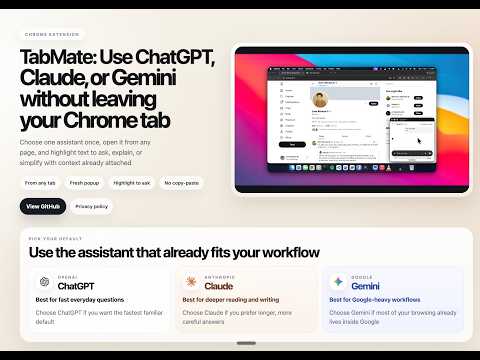
TabMate adds a floating assistant button and page actions for quick ChatGPT, Claude, or Gemini popup workflows.
TabMate keeps contextual AI actions attached to the page you are already reading. When you highlight text on a normal website, TabMate gives you quick actions to Explain, Ask, or Simplify without making you copy the page title, URL, or selected text by hand. You can also choose one default assistant so the corner button opens ChatGPT, Claude, or Gemini in a fresh popup chat from the page you are on. What TabMate does: Adds quick selection actions for Explain, Ask, and Simplify Carries selected text, page title, and page URL into the assistant flow Opens your chosen assistant in a fresh popup chat Lets you keep one default assistant across Chrome Best for: Reading articles, docs, and dashboards Asking quick questions without rebuilding context in a separate tab Sending selected text into ChatGPT, Claude, or Gemini with context attached TabMate does not run its own AI backend. It works with the assistant website you choose and your existing account on that service.`
5 out of 51 rating
Details
- Version0.2.3
- UpdatedApril 5, 2026
- Offered bysumitbehal
- Size1.89MiB
- LanguagesEnglish
- Developer
Email
sumitkumarbehal@gmail.com - Non-traderThis developer has not identified itself as a trader. For consumers in the European Union, please note that consumer rights do not apply to contracts between you and this developer.
Privacy

TabMate: AI Assistant for Chrome Tabs has disclosed the following information regarding the collection and usage of your data. More detailed information can be found in the developer's privacy policy.
TabMate: AI Assistant for Chrome Tabs handles the following:
This developer declares that your data is
- Not being sold to third parties, outside of the approved use cases
- Not being used or transferred for purposes that are unrelated to the item's core functionality
- Not being used or transferred to determine creditworthiness or for lending purposes
Support
For help with questions, suggestions, or problems, visit the developer's support site