

TableLens: Edit, Visualize & Export Web Tables

Overview
The Ultimate Web Scraper to Edit, Visualize & Export any Table to Excel, CSV, PDF & More
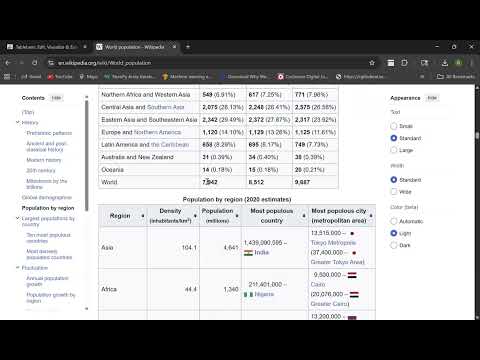
TableLens helps you easily work with tables from any website. Edit, visualize, copy, or download data in seconds. ✏️ Edit Tables Live Clean up your data right on the page before you export. ✔️ Sort & Filter: Quickly arrange data and filter rows to find what you need. ✔️ Reorder & Hide: Drag and drop to reorder columns, and hide any you don't need. ________________________________________ 📊 Create Charts Instantly Understand your data visually without leaving the webpage. ✔️ Visualize Data: Turn any table into a chart with one click. ✔️ Chart Types: Choose from Bar, Line, Pie, and Scatter plots. _______________________________________ _ ⬇️ Download or Copy Your Data Get your data off the page and into your workflow. Download to Any Format: ✔️ Save your data in the format you need. Choose from spreadsheets (Excel, CSV), documents (PDF, Word), or developer-friendly options (JSON, Markdown). Copy in Two Ways: ✔️ Copy as CSV: Grab the clean text to paste into spreadsheets. ✔️ Copy Styled: Keep the original look and feel for documents and emails. ________________________________________ ✨ Other Features ✔️ Smart Detection: Finds tables even on complex modern websites. ✔️ Easy to Use: A simple, draggable interface that's easy to navigate. ✔️ Dark Mode: Work comfortably at any time of day. Install TableLens to make working with web data simple.
5 out of 52 ratings
Details
- Version1.0.1
- UpdatedSeptember 25, 2025
- Size870KiB
- LanguagesEnglish (United States)
- DeveloperWebsite
Email
ranjithsaila1999@gmail.com - Non-traderThis developer has not identified itself as a trader. For consumers in the European Union, please note that consumer rights do not apply to contracts between you and this developer.
Privacy

TableLens: Edit, Visualize & Export Web Tables has disclosed the following information regarding the collection and usage of your data. More detailed information can be found in the developer's privacy policy.
TableLens: Edit, Visualize & Export Web Tables handles the following:
This developer declares that your data is
- Not being sold to third parties, outside of the approved use cases
- Not being used or transferred for purposes that are unrelated to the item's core functionality
- Not being used or transferred to determine creditworthiness or for lending purposes