

Table to Excel by TidyKit - Copy Tables to Excel, Sheets & CSV

Overview
Copy and prepare web tables for Excel or Google Sheets. Export CSV and XLSX. Runs locally, no account needed.
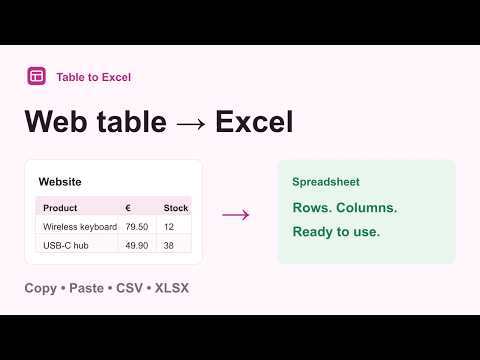
Copy web tables to Excel or Google Sheets. Download CSV or XLSX, or prepare a table before you export it. For a quick copy, click the extension icon and choose Copy. For more control, choose Prepare. Prepare your table: • Preview the rows and columns before exporting. • Select a cell range, exclude rows, rename columns and change their order. • Join multiple header rows, remove repeated headers, empty rows, totals or numeric footnote marks. • Keep codes and long IDs as text. Choose number, percentage or date types and the format used on the source page. • Export link addresses alongside cell text. • Undo changes without rereading the page. More than HTML tables: • Read HTML tables, structured web grids and CSS tables. • Select a repeated row manually for div-based layouts. • Read available tables inside open Shadow DOM and same-origin frames. • Collect loaded rows while scrolling or following a Next button you select. Pause or stop and keep the rows already collected. Repeat an export: • Save a recipe on your computer and apply it again when the table has matching columns. • Save local snapshots and compare added, missing or changed rows using a unique key. • Combine loaded tables by column name. Matching row values are not automatically removed. Your tables stay in your browser. No account, uploads or subscription. Recipes and snapshots are saved only when you choose. Limits: The extension reads cells available on the page. Collection needs stable page row indices or a unique key column and does not guarantee that every row has loaded. It does not read closed Shadow DOM, inaccessible cross-origin frames, canvas tables, PDF files or images. CSV and pasted values depend on your spreadsheet's import settings; XLSX stores the types you select. To start, open a page with a table and click the Table to Excel icon. For a page that doesn't work, contact support@tidykit.app with a public example and what you expected. Not affiliated with Microsoft. Excel is a trademark of Microsoft Corporation.
0 out of 5No ratings
Details
- Version1.1.0
- UpdatedSeptember 26, 2026
- Size84.99KiB
- Languages6 languages
- DeveloperWebsite
Email
support@tidykit.app - Non-traderThis developer has not identified itself as a trader. For consumers in the European Union, please note that consumer rights do not apply to contracts between you and this developer.
Privacy

This developer declares that your data is
- Not being sold to third parties, outside of the approved use cases
- Not being used or transferred for purposes that are unrelated to the item's core functionality
- Not being used or transferred to determine creditworthiness or for lending purposes
Support
For help with questions, suggestions, or problems, visit the developer's support site