

Overview
Extract and edit HTML tables. Copy, import, export, compare, join, merge, deduplicate and summarize data locally in Chrome.
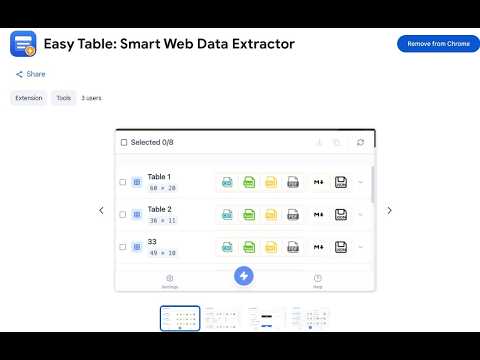
xtract and work with tables directly in your browser. Easy Table automatically detects HTML tables on webpages and turns them into structured data that you can preview, edit, compare, combine, and export. You can also bring external table data into the extension and continue working with it locally. ✨ Key Features 🔍 Smart Table Detection Automatically detects tables on the current webpage. Preview detected tables before opening them, and quickly locate the corresponding table on the page. ✏️ Edit and Clean Data Open extracted or imported data in the built-in editor to review and update table content before exporting. 🆚 Compare Tables Compare two tables using one or more key columns. Easy Table can show matching records, changed values, and rows that appear in only one table. 🔗 Join and Merge Tables Join related records using matching columns, or merge rows from multiple tables into one dataset. If source tables contain different columns, Easy Table keeps the available fields and leaves missing values empty. 🧹 Remove Duplicates Remove duplicate rows using the columns you choose. 🏷️ Field Mapping Standardize different column names before combining or comparing tables. Reusable mappings help keep data consistent across different sources. 📊 Group and Summarize Group records and create summary results. You can also inspect the source rows behind a summarized record. 📥 Import Data Bring external table data into Easy Table from local files or your clipboard. 📤 Export Results Download extracted or processed data in several commonly used formats suitable for spreadsheets, documents, images, and structured data workflows. 📌 Keep Processed Results After processing a table, you can continue editing it, copy the result, download it, or pin it to the Home screen for later use. 🔒 Privacy-First Easy Table processes table data locally in your browser. Your extracted table content is not uploaded to an external server for processing, and no account is required to use the extension. Easy Table is designed to make everyday table extraction and data processing faster without requiring a separate desktop application.
0 out of 5No ratings
Details
- Version2.0.2
- UpdatedOctober 18, 2026
- Size955KiB
- Languages2 languages
- DeveloperWebsite
Email
qichenggao@gmail.com - Non-traderThis developer has not identified itself as a trader. For consumers in the European Union, please note that consumer rights do not apply to contracts between you and this developer.
Privacy

Easy Table: HTML Table Extractor has disclosed the following information regarding the collection and usage of your data. More detailed information can be found in the developer's privacy policy.
Easy Table: HTML Table Extractor handles the following:
This developer declares that your data is
- Not being sold to third parties, outside of the approved use cases
- Not being used or transferred for purposes that are unrelated to the item's core functionality
- Not being used or transferred to determine creditworthiness or for lending purposes
Support
For help with questions, suggestions, or problems, please open this page on your desktop browser