

TabInsights: Website Blocker, Time Tracker & Pomodoro Focus Timer
1 rating
)
Overview
Free website blocker + website time tracker. See which sites eat your day, block them in one tap, focus with a Pomodoro timer.
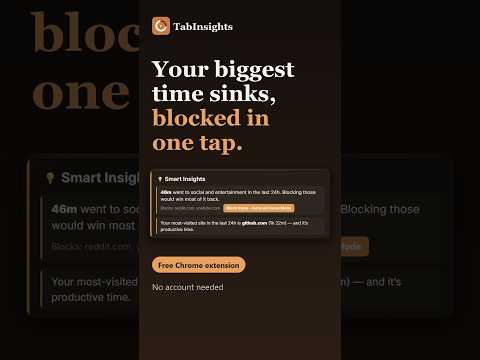
TabInsights is a free website blocker and website time tracker for Chrome. It times the sites you actually use, names your biggest time sinks, and blocks them in one tap. No account, no sign-up. Most time trackers stop at a chart. Most site blockers make you guess what to block. TabInsights connects the two. Built for students, remote workers and anyone who loses hours to YouTube, Reddit or social feeds and wants a more productive day in Chrome. HOW IT WORKS 1. Install and browse normally. Time tracking starts right away. 2. Once social and entertainment sites pass 30 minutes in a day, a "Block these" insight lists the sites it will block. 3. Tap it. Those sites are blocked, Focus Mode turns on, and Undo stays available for about 10 seconds. WHAT TO EXPECT ON DAY ONE You can add sites to your block list right away. The "Block these" insight needs real data, so it appears after about 30 minutes on distracting sites. TabInsights also replaces Chrome's new tab page with a dashboard showing today's time, focus score and streak. WEBSITE BLOCKER Block websites you choose. Blocks apply while Focus Mode is on and during focus sprints, and sprints and workspaces can block ready-made social media, entertainment and news lists. Turn on the Unblock Challenge and you must type a phrase before a site can be removed from your block list. WEBSITE TIME TRACKER Every site is timed automatically while you browse, with no timers to start. A 24-hour chart and your all-time top distractions show where your screen time in Chrome went, plus a daily focus score and streak. Pro adds 7-day trends and a focus distribution chart. FOCUS TIMER Start a 15, 25 or 45-minute Pomodoro-style sprint. Distracting sites are blocked until it ends, then a short break timer starts. ALSO INCLUDED • Optional tab suspender: idle tabs sleep to free memory and wake with one click; whitelist sites that should never sleep. • Tab tools: close duplicates, group tabs by domain, save and restore sessions, search your open tabs. • Workspaces (2 free): open a set of tabs, start the timer and turn on blocking in one click. • Read Aloud: right-click selected text to hear it using your browser's speech voices. • Export your data as CSV or JSON any time. PRIVACY No account, no ads, no analytics. Your browsing time data is stored only in your browser. TabInsights itself contacts a server only to validate a Pro license key; site icons load from the sites you visit. Read Aloud runs only on a tab where you choose it from the right-click menu; voices labelled "online" are provided by your browser vendor, so choose a local voice to keep text on your device. Pro can sync your block list and settings through your own Chrome Sync. FREE vs PRO Free: time tracking, 24-hour chart and top distractions, website blocker, Unblock Challenge, "Block these" insights, Pomodoro-style focus timer and break timer, 2 workspaces, tab suspender and tab tools, CSV/JSON export. Pro, $9.99 once (no subscription): daily time limits per site (for example 30 minutes of YouTube a day), scheduled blocking, unlimited workspaces and alerts, advanced analytics, settings sync across your devices. Something missing or broken? Use the support link on this page. If TabInsights helps you take back some time, a short review helps other people find it.
5 out of 51 rating
Details
- Version2.5.5
- UpdatedOctober 14, 2026
- FeaturesOffers in-app purchases
- Offered byabsep98
- Size1023KiB
- LanguagesEnglish (United States)
- Developer
Email
absep98@gmail.com - Non-traderThis developer has not identified itself as a trader. For consumers in the European Union, please note that consumer rights do not apply to contracts between you and this developer.
Privacy

TabInsights: Website Blocker, Time Tracker & Pomodoro Focus Timer has disclosed the following information regarding the collection and usage of your data. More detailed information can be found in the developer's privacy policy.
TabInsights: Website Blocker, Time Tracker & Pomodoro Focus Timer handles the following:
This developer declares that your data is
- Not being sold to third parties, outside of the approved use cases
- Not being used or transferred for purposes that are unrelated to the item's core functionality
- Not being used or transferred to determine creditworthiness or for lending purposes
Support
For help with questions, suggestions, or problems, please open this page on your desktop browser