


Overview
Share your current browser tab with viewer links, live room controls, diagnostics, and chat.
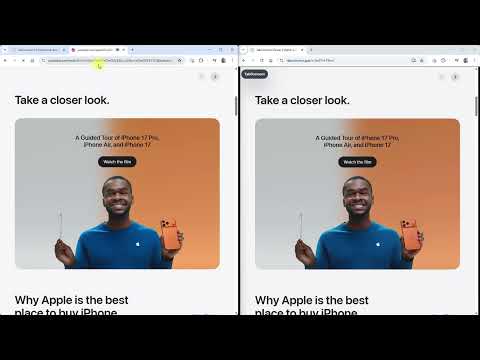
Stop sharing your entire screen just to show one thing. TabConnect lets you share exactly what matters — a browser tab, window, or screen — in seconds. Generate a viewer link or downloadable QR code, send it to anyone, and they join in their browser. No installs. No accounts. No friction. Choose what to share, click Share, and go. Perfect for: • Product demos and sales walkthroughs • Customer support and guided troubleshooting • Training and onboarding • Internal reviews and approvals • Live walkthroughs of web-based tools Why TabConnect: • Share a browser tab, window, or screen — choose a tab to keep the rest of your desktop private • Generate a viewer link or downloadable QR code instantly • Switch tabs during a live session without restarting • Freeze or resume the stream for all viewers at any time • Lock the room to control who can join Real interaction — not just viewing: • Viewers can request remote control of the shared browser page (host approval required) • Controlled interaction with a labelled cursor and full activity logging • Multiple viewers can use laser pointers at the same time • Built-in chat and file sharing (up to 25 MB) Present like a pro: • Share your webcam and microphone alongside your shared content • Viewers can see and hear you while watching • Live draggable camera preview tile • Choose presentation modes (balanced or text clarity) • Optional low-frame mode for weaker connections Viewers join instantly: • Works on desktop, tablet, and mobile • No install or account required • Zoom, pan, fullscreen, Fit Screen, and Actual Size controls • Pinch to zoom and pan on touch devices • See viewer names and country indicators in real time Powerful host controls: • See who is connected and remove viewers instantly • Set viewer limits, feature defaults, and password complexity (6–18 characters) • Use a custom host name visible to viewers • Reuse previous sessions with built-in history • Automatically reset passwords between sessions Built for reliability: • WebRTC streaming with direct connections, relay fallback, and optional group streaming • Automatic relay fallback for difficult networks • Preflight relay compatibility check before you start Advanced diagnostics: • Live connection health: signaling, latency, reconnects, and connection path • Bandwidth stats per viewer • Capture details (resolution, codec, framerate) • Full event log with export to JSON Stay in control: • Dedicated host status panel with live session info • Viewer count, shared source, and room status at a glance • Always know what’s being shared and who is watching TabConnect is for anyone who wants to present exactly what’s happening in a browser tab, window, or screen — without exposing more than they choose. Free to use. If you’ve ever shared your screen and wished you could share less — this is it.
0 out of 5No ratings
Details
- Version1.0.48
- UpdatedOctober 19, 2026
- Size338KiB
- LanguagesEnglish
- DeveloperWebsite
Email
support@fixquotes.com - Non-traderThis developer has not identified itself as a trader. For consumers in the European Union, please note that consumer rights do not apply to contracts between you and this developer.
Privacy

TabConnect: Browser Tab Screen Sharing has disclosed the following information regarding the collection and usage of your data. More detailed information can be found in the developer's privacy policy.
TabConnect: Browser Tab Screen Sharing handles the following:
This developer declares that your data is
- Not being sold to third parties, outside of the approved use cases
- Not being used or transferred for purposes that are unrelated to the item's core functionality
- Not being used or transferred to determine creditworthiness or for lending purposes
Support
For help with questions, suggestions, or problems, visit the developer's support site