

TabCast – Web Article Player
1 rating
)
Overview
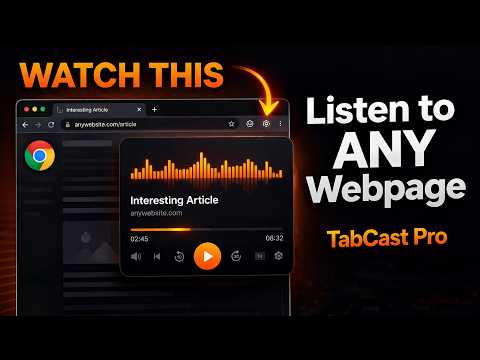
Turn any webpage into a podcast episode. Listen to articles while you multitask.
🎙 Turn Any Webpage Into a Podcast — Instantly Tired of long articles you never have time to read? TabCast converts any webpage into a listenable audio experience so you can absorb content while you cook, commute, work out, or multitask. Just open the extension on any article and hit play. That's it. ─────────────────────── ✅ FREE FEATURES ─────────────────────── ▸ Listen to any webpage or article ▸ Clean podcast-style player with progress bar ▸ Play, pause, skip forward/back by 5 sentences ▸ Seek to any point by clicking the progress bar ▸ Estimated read time display ▸ 3 plays per day on the free plan ─────────────────────── ⚡ PRO FEATURES — $14.99 Lifetime ─────────────────────── ▸ Unlimited plays per day ▸ All playback speeds: 0.5x · 0.75x · 1x · 1.25x · 1.5x · 2x ▸ Draggable floating mini-player overlay on any page ▸ Voice selection from all your browser's installed voices ▸ One-time payment — no subscription ever ─────────────────────── 🚀 HOW IT WORKS ─────────────────────── 1. Navigate to any article, blog post, or news page 2. Click the TabCast icon in your Chrome toolbar 3. Hit "Start Listening" 4. TabCast extracts the article text and reads it aloud 5. Pro users can enable the floating player to keep controls visible while browsing ─────────────────────── 💬 PERFECT FOR ─────────────────────── ▸ Students researching and reading academic content ▸ Professionals keeping up with industry news ▸ Anyone who prefers audio to reading ▸ Commuters and people on the go ▸ People with reading difficulties or visual impairments ─────────────────────── 🔒 PRIVACY ─────────────────────── TabCast works entirely in your browser. No article text is ever sent to any server. All text-to-speech is handled locally using your browser's built-in speech engine. We only contact Gumroad's API to verify your license key. ─────────────────────── 💬 SUPPORT ─────────────────────── Email: legendarycreationbyea@gmail.com Upgrade to Pro: https://legendarycreation.gumroad.com/l/tabcastpro
5 out of 51 rating
Details
- Version1.0.0
- UpdatedMarch 21, 2026
- Offered byLegendaryCreation
- Size21.88KiB
- LanguagesEnglish
- Developer
Email
legendarycreationbyea@gmail.com - Non-traderThis developer has not identified itself as a trader. For consumers in the European Union, please note that consumer rights do not apply to contracts between you and this developer.
Privacy

This developer declares that your data is
- Not being sold to third parties, outside of the approved use cases
- Not being used or transferred for purposes that are unrelated to the item's core functionality
- Not being used or transferred to determine creditworthiness or for lending purposes
Support
For help with questions, suggestions, or problems, visit the developer's support site