

Tabby – Tab Manager: Save Tabs & Memory
3 ratings
)
Overview
Close tabs without losing them. Save for later, tidy up in a minute, bring back closed windows. No account needed.
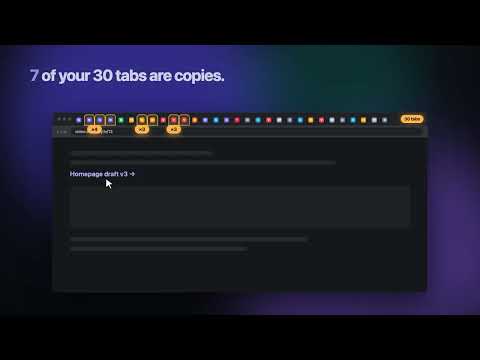
Too many tabs? Close them without losing them. Tabby turns your new tab page into a calm home: what you saved in the middle, what's open on the right. No account needed. NEW IN 1.2 • A calmer Home: search, your collections and Recently closed, with your open tabs in a panel beside them • From 10 open tabs, keep that list in the browser's side panel, next to any site • Tidy up starts with a plan: close the copies, sleep the tabs you're not using, save the other windows. Undo puts everything back • 29 themes where colors, fonts and icons change together, some with a little mascot • Tabby now speaks 12 languages CLOSE TABS WITHOUT LOSING THEM • Save any tab to Later or a collection and close it. Find it again any day • A ✓ shows which open tabs are already saved, so closing is safe • Save the whole window in one click, or the tab you're on with Alt+Shift+S TIDY UP IN A MINUTE • One plan for copies, idle tabs and other windows • Or go through your tabs one at a time: K keep, X close, S save for later, Z undo BRING IT BACK • Closed a window by mistake, or the browser crashed? Bring it back in one click • History keeps closed windows and tabs for 14 days, plus a Trash you can restore from FREE UP MEMORY • Sleep the tabs you aren't using. They stay in your tab bar and reload when you click them • Pick sites that never sleep FIND ANYTHING • Press ⌘K / Ctrl+K to search open tabs, saved links and collections in one place • Fast with thousands of links ORGANIZE YOUR WAY • Spaces and collections, drag and drop, select many links at once • Tab groups keep their names and colors • A side panel next to the page you're reading (Alt+Shift+K) PRIVATE BY DESIGN • No account. No tracking. No ads. • Your tabs and links stay on your device and are never sent anywhere FREE AND PRO • Free forever: unlimited saved tabs, collections and spaces; Tidy up; search; History; Sleep; backups; six themes • Tabby Pro (optional): all 29 themes, unlimited switchable spaces and Tidy up straight into collections. New users get a 14-day Pro trial, no card needed. Pro is $4/month or $29/year; founding members pay $49 once for life (first 100 buyers) COMING FROM ANOTHER TAB MANAGER? Import a JSON export, a list of links or your browser bookmarks on the welcome screen, or later in Settings. Keyboard: ⌘K / Ctrl+K search · Alt+Shift+S save tab · Alt+Shift+K side panel
5 out of 53 ratings
Details
- Version1.2.0
- UpdatedOctober 24, 2026
- Offered bytainh.work
- Size1.54MiB
- Languages12 languages
- DeveloperHữu Tài Nguyễn
HCM HCM, Ho Chi Minh City 70000 VNEmail
tainh.work@gmail.com - Non-traderThis developer has not identified itself as a trader. For consumers in the European Union, please note that consumer rights do not apply to contracts between you and this developer.
Privacy

Tabby – Tab Manager: Save Tabs & Memory has disclosed the following information regarding the collection and usage of your data. More detailed information can be found in the developer's privacy policy.
Tabby – Tab Manager: Save Tabs & Memory handles the following:
This developer declares that your data is
- Not being sold to third parties, outside of the approved use cases
- Not being used or transferred for purposes that are unrelated to the item's core functionality
- Not being used or transferred to determine creditworthiness or for lending purposes
Support
For help with questions, suggestions, or problems, visit the developer's support site