


Overview
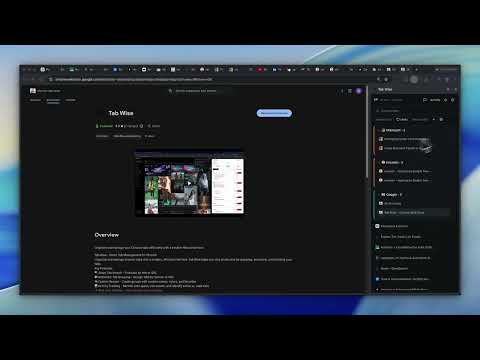
Organize and manage your Chrome tabs efficiently with a modern React interface
## Tab Wise v2.4.0 ### Added - Fuzzy tab search with relevance scoring - `/` keyboard shortcut to focus search - New tab button at the top of the tab list ### Fixed - Tab and group favicon loading - Feedback form URL - Background message auth validation ### Changed - Upgraded to React 19 - UI polish across side panel - Removed legacy popup code - Expanded test coverage Tab Wise — the wise way to wrangle your web. Too many tabs? Tab Wise gives you a clean side panel to see, search, group, and manage every open tab without leaving the page you’re on. See everything at a glance Open Tab Wise from the toolbar and get a live view of all your tabs in Chrome’s side panel. Switch to any tab, close tabs, pin or duplicate them, and keep working in the same window. Find tabs instantly Search across titles and URLs so you can jump to the right page in seconds—no more hunting through a crowded tab bar. Smart tab grouping Tabs are organized automatically by domain, content similarity, time of day, activity patterns, project context, or how recently you used them. Turn auto-grouping on or off and pick the strategy that fits your workflow. Custom groups Create your own groups with custom names and colors. Add or remove tabs, mark groups as important, and keep projects separated your way. Save and restore sessions Capture your current window—URLs, pinned tabs, and Chrome tab groups—and restore it later in this window or a new one. Perfect for research, work setups, or picking up where you left off. Recently closed Quickly reopen tabs from your recent history without digging through Chrome’s menu. Cut duplicate clutter Tab Wise spots duplicate URLs and offers to close the extras in one click, while keeping pinned tabs safe. Activity insights See how you’re using your tabs: focus score, tab-switching pace, and tabs you revisit often. Optional system RAM monitoring helps you spot when memory is getting tight (permission requested only if you enable it). Built for daily use Light and dark themes, a minimal interface, and real-time updates as tabs open, close, or change. Tab Wise stays out of your way until you need it. Permissions Tab Wise uses Chrome permissions to read and manage your tabs, save your groups and sessions locally, show the side panel, and access recently closed sessions. System memory info is optional and only used if you choose to enable it.
5 out of 58 ratings
Details
- Version2.4.0
- UpdatedAugust 19, 2026
- Size192KiB
- LanguagesEnglish
- DeveloperSiddhesh ShirdhankarWebsite
NSS Road, Mumbai Suburban Mumbai, Maharashtra 400084 INEmail
siddhesh.shirdhankar18@gmail.comPhone
+91 82915 29264 - TraderThis developer has identified itself as a trader per the definition from the European Union and committed to only offer products or services that comply with EU laws.
Privacy

This developer declares that your data is
- Not being sold to third parties, outside of the approved use cases
- Not being used or transferred for purposes that are unrelated to the item's core functionality
- Not being used or transferred to determine creditworthiness or for lending purposes