


概述
Keep your tabs ordered by their most recent usage.
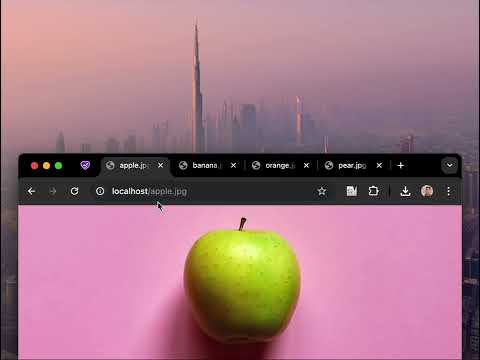
🔥 BOOST YOUR BROWSING EXPERIENCE! 🔥 This extension keeps your browser tabs sorted in Most Recently Used (MRU) order, from left to right — just like the way apps are organized on desktop operating systems when you use Cmd/Alt+Tab. Tab Slider brings this behavior to Chrome. Try it out! How it works: - If you stay on a tab for more than 1 second (by default), it will "slide" to the leftmost position; - This keeps your most recently used tabs ordered from left to right; - Thanks to this order, pressing Ctrl+Tab switches you to the next most recently used tab; - Pinned tabs slide in the opposite direction (left to right). This is intentional — it allows seamless switching between your most recently used pinned tabs and normal tabs using keyboard shortcuts: - Ctrl+Shift+Tab switches to the most recently used pinned tab; - Ctrl+Tab switches back to the most recently used normal tab; You can customize the reordering delay and the maximum number of reordered tabs in the extension’s settings; newly opened active tabs immediately appear on the left. Once you get used to it, this way of managing tabs will feel completely natural and intuitive 🪄
4.5 星(5 星制)14 个评分
详情
隐私权

该开发者已声明,您的数据:
- 不会因未获批准的用途出售给第三方
- 不会为实现与产品核心功能无关的目的而使用或转移
- 不会为确定信用度或放贷目的而使用或转移
支持
若有任何疑问、建议或问题,请在桌面浏览器中打开此页面