

Tab Shift

Overview
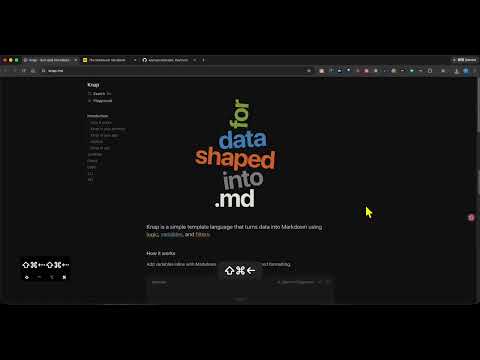
iTerm-like keyboard shortcuts to rearrange Chrome tabs and move them between windows.
[English version] Tab Shift adds iTerm-style keyboard shortcuts for rearranging Chrome tabs. Move the active tab left or right, jump it to the start or end of its strip, extract it into a new window, or send it to the next window. Pinned and unpinned tabs are treated as two separate strips, so a shortcut never mixes them. Moves stop at the edge of the strip (they do not wrap). Default shortcuts (Mac / Windows): • Shift+Command+Left / Ctrl+Shift+Left — move tab left • Shift+Command+Right / Ctrl+Shift+Right — move tab right • Shift+Command+Up / Ctrl+Shift+Up — move to start of strip • Shift+Command+Down / Ctrl+Shift+Down — move to end of strip Extract to a new window and move to the next window have no default keys (Chrome allows only four suggested shortcuts). Bind them at chrome://extensions/shortcuts. Tab Shift does not read page URLs, does not inject into websites, and does not send data anywhere. Rebind keys at chrome://extensions/shortcuts if another extension already owns a combination. [中文介紹] Tab Shift 為 Chrome 分頁提供類似 iTerm 的鍵盤快捷鍵,用來重新排列分頁。 可將作用中分頁向左或向右移動、移到該列最前或最後、獨立成新視窗,或送到下一個視窗。 已釘選與未釘選分頁視為兩條獨立的分頁列,快捷鍵不會把它們混在一起。移動到該列邊緣即停止(不會循環繞回)。 預設快捷鍵(Mac/Windows): • Shift+Command+Left/Ctrl+Shift+Left — 分頁左移 • Shift+Command+Right/Ctrl+Shift+Right — 分頁右移 • Shift+Command+Up/Ctrl+Shift+Up — 移到該列最前 • Shift+Command+Down/Ctrl+Shift+Down — 移到該列最後 「獨立成新視窗」與「移到下一個視窗」沒有預設快捷鍵(Chrome 只允許四組建議快捷鍵)。請到 chrome://extensions/shortcuts 自行綁定。 Tab Shift 不會讀取頁面網址、不會注入網站,也不會把資料傳送到任何地方。若快捷鍵已被其他擴充功能占用,請到 chrome://extensions/shortcuts 重新綁定。
0 out of 5No ratings
Details
- Version1.0.1
- UpdatedSeptember 16, 2026
- Offered byfred1357944
- Size6.23KiB
- Languages中文(台灣)
- Developer綠亦有限公司
忠孝西路一段72號2樓之5 中正區, 台北市 10041 TWEmail
fred1357944@gmail.comPhone
+886 986 575 540 - TraderThis developer has identified itself as a trader per the definition from the European Union and committed to only offer products or services that comply with EU laws.
- D-U-N-S657896737
Privacy

This developer declares that your data is
- Not being sold to third parties, outside of the approved use cases
- Not being used or transferred for purposes that are unrelated to the item's core functionality
- Not being used or transferred to determine creditworthiness or for lending purposes
Support
For help with questions, suggestions, or problems, visit the developer's support site