


概述
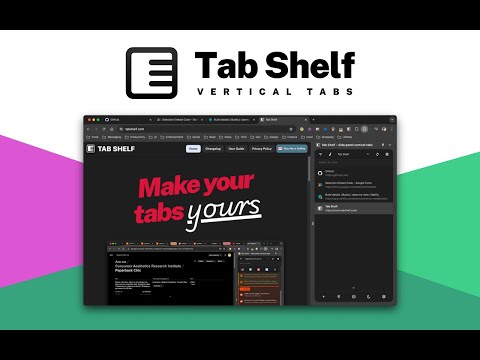
Vertical tab management from your side panel with support for tab groups, multiple windows, and much more.
Tab Shelf is a versatile, vertical tab manager for Chrome. It provides an alternate, more feature-packed alternative to the Chrome, Edge, and Brave vertical tabs feature. 🤔 WHY VERTICAL TABS? Whether you're frantically doing research for a paper, queuing up articles to read, or you just love hoarding tabs, tab management can be a pain. Having all your tabs squeezed at the top of your window makes it hard to remember what tabs you have and to quickly navigate between them. Being able to persistently view all your tabs in a convenient, colorful, and customizable vertical view takes that headache away! ⭐️ FEATURES - View and manage your tabs conveniently from the side panel. - Use rules to automatically group tabs from specific websites (or right-click on a tab and choose to group all tabs from the same site). - Save and restore tab groups, windows, and browser sessions. - Quickly search or filter your tabs by group, window, or whether they've got audio playing. - Duplicate tab detection and deletion (optional). - Sleep your tabs to save memory and energy. You can also set tabs opened in the background to sleep after a specified period of time. - Sync your settings and grouping rules via your Google account across your other computers. - Light and dark themes to match your browser, plus 20 accent colors to give your Tab Shelf some flair. Also includes Roomy, Comfortable, and Compact display density options. - Choose from amongst 20 colors to differentiate your tab groups and windows. 🌏 TRANSLATIONS Tab Shelf is available in 17 languages. 🔐 PRIVACY POLICY Please read Tab Shelf's privacy policy (which can be found at: https://www.tabshelf.com/privacy-policy) to understand how Tab Shelf prioritizes responsible permissions usage and user privacy. Tab Shelf does not and will never collect your data. 🛠️ USAGE You can launch Tab Shelf in a number of ways: 1. Opening the Chrome side panel via the toolbar button (on the right-hand side, next to your profile button) and selecting Tab Shelf. 2. Pinning the Tab Shelf extension button to the toolbar. This allows you to open Tab Shelf in a single click. You can also use the default keyboard shortcut to quickly open Tab Shelf: * On Windows/Linux: Ctrl + Shift + O * On macOS: Command + Shift + O For a more detailed user guide, please visit: https://tabshelf.com/user-guide Disclaimer: This extension requires at least Chrome 114 in order for side panel integration to work. Other Chromium-based browsers are not officially supported. ======================= CHANGELOG - v2026.3.0 ======================= NEW FEATURES - Tab grid layout - switch the main tab list from rows to compact tiles, with pinned tabs, grouped tabs, window headers, selection, drag-and-drop, and context menus still working in the new layout. - Save selected tabs directly to a collection from the tab context menu, either by choosing an existing collection or creating a new one. - Saved collections can now be managed more directly, with options to change collection type and collection color. - The audible-tabs button can now (optionally) cycle focus between audible tabs instead of only filtering them, with separate scope options for the active window or all windows. - Added an option to automatically collapse tab groups that do not contain the active tab. IMPROVEMENTS - Context menus now scroll when there are too many actions to fit on screen, making long tab, window, and toolbar menus easier to use. - Saves and Grouping Rules can now remember filter and sorting preferences between visits when their persistence settings are enabled. - Settings with multiple choices now use clearer radio-style pickers, including updated visual pickers for display mode and tab-list density. - Localization system overhauled to reduce memory and CPU load. BUG FIXES - Fixed issue where newly created saved collections are not persisting. - Fixed fresh installs creating duplicate Saves bookmark folders in some cases, and added repair handling for existing duplicate roots. - Fixed saved collection metadata issues such as out-of-sync names after renames and stale or orphaned metadata being left behind. EXPERIMENTAL - Scroll to Focus Mode - use mouse wheel gestures over the tab list to move focus between visible tabs, with settings for disabled, always-on, Alt + wheel, or Ctrl + wheel behavior.
4.4 星(5 星制)67 个评分
详情
隐私权

该开发者已声明,您的数据:
- 不会因未获批准的用途出售给第三方
- 不会为实现与产品核心功能无关的目的而使用或转移
- 不会为确定信用度或放贷目的而使用或转移
支持
若有任何疑问、建议或问题,请在桌面浏览器中打开此页面