

Tab Reminders
1 rating
)
Overview
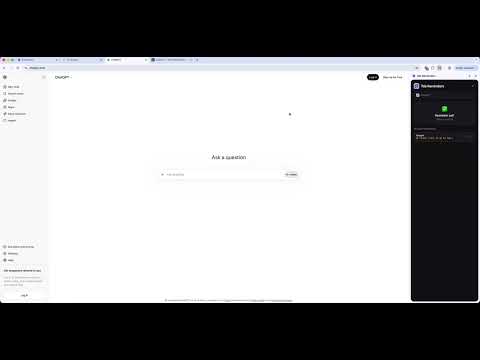
Set reminders for your tabs. Get notified with sound, blinking tab, and snooze support.
Tab Reminders lets you set a reminder for any open browser tab so you never forget to come back to it. HOW IT WORKS 1. Click the Tab Reminders icon in your toolbar to open the side panel 2. Set a custom timer (hours, minutes, seconds) or tap a quick preset (5m, 10m, 15m, 30m, 1h) 3. Hit "Set Reminder" — you'll see a confirmation with the exact fire time 4. When the timer fires, you get: • A system notification with the tab title • A sound alert (pleasant chime) • The tab title and favicon start blinking until you visit it • The extension icon flashes with a red badge FEATURES • Custom timer — set any duration in hours, minutes, and seconds • Quick presets — one-tap buttons for 5, 10, 15, 30 minutes, and 1 hour • Default timer setting — configure your preferred default timer in settings • Sound notification — a pleasant chime plays when the reminder fires • Tab blinking — the tab title alternates to "REMINDER" and the favicon changes until you visit the tab • Extension icon flashing — the toolbar icon flashes between normal and alert states • Snooze — snooze any fired reminder for 5 more minutes • Click to navigate — click any active reminder to jump straight to that tab • Multiple reminders — set reminders on as many tabs as you want • Persistent — reminders survive browser restarts via Chrome alarms API • Side panel UI — opens instantly from the toolbar, stays open as you browse PRIVACY Tab Reminders stores all data locally on your device using Chrome's storage API. No data is sent to any server. No analytics, no tracking, no accounts required. PERMISSIONS EXPLAINED • Alarms — to schedule reminder timers • Notifications — to show system notifications when reminders fire • Tabs — to read the current tab title and URL for the reminder • Storage — to save your reminders and settings locally • Scripting — to inject the tab-blinking script into reminder tabs • Offscreen — to play the notification sound • Side Panel — to display the extension UI in Chrome's side panel Perfect for developers, researchers, or anyone who juggles many tabs and needs a nudge to come back to important ones.
5 out of 51 rating
Details
- Version2.3.0
- UpdatedApril 10, 2026
- Offered byAlphaPavonis
- Size147KiB
- LanguagesEnglish (United Kingdom)
- Developer
Email
pavan.gururajan@gmail.com - Non-traderThis developer has not identified itself as a trader. For consumers in the European Union, please note that consumer rights do not apply to contracts between you and this developer.
Privacy

This developer declares that your data is
- Not being sold to third parties, outside of the approved use cases
- Not being used or transferred for purposes that are unrelated to the item's core functionality
- Not being used or transferred to determine creditworthiness or for lending purposes
Support
For help with questions, suggestions, or problems, please open this page on your desktop browser