


Tổng quan
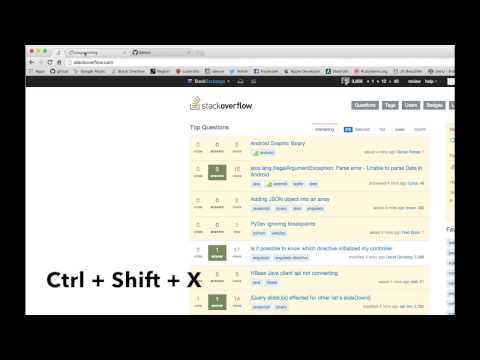
Pin or Unpin a tab easily from the keyboard
It's annoying to have to right click a tab and choose "Pin Tab," and slows down your browsing workflow. This extension seeks to solve that by adding in a simple key binding for doing just that: Pinning and Unpinning tabs while browsing. The default key binding is Ctrl + Shift + X (or Command + Shift + X on Mac OS X). This extension requires no special permissions and doesn't inject anything into a page, the key binding is configurable from your extensions page so you can bind this to whatever you feel comfortable typing regularly. To edit keybindings click the menu icon in the top left to open the sidebar and select "Keyboard Shortcuts." Or, you can navigate to chrome://extensions/shortcuts with your address bar. Once you've got it set up the way you want to get to pinning those tabs quickly and easily! --- November 27, 2017 Note I've uploaded the source for this extension (extremely small) to Github. If you're interested to see what it takes to make this thing tick check out the "tab_pinner.js" file, if you want to make changes just make a PR with your proposed update. Enjoy! https://github.com/bbuck/tab-pinner --- April 30, 2015 Update! Due to another comment (I guess another will come shortly after I post this update) there is yet another new command now that allows you to PIN all tabs at once (in the current window). Now you can pin/unpin your current tab and Pin/Unpin all tabs of the current window! Hooray! I don't think I'll be willing to add anything more to keep things quite simple; however, if more suggestions do come in and they're not very complex or fit will with what is already done then I will most likely implement them when I can. --- April 24, 2015 Update! Due to comment request (even though it was just one, but I try and take care of you guys) I've added another keyboard shortcut for unpinning all pinned times at once. No other functionality was changed so feel free to use or ignore the new feature!
4,8/5127 lượt xếp hạng
Chi tiết
- Phiên bản1.2.1
- Đã cập nhật29 tháng 11, 2024
- Nhà cung cấpBrandon Buck
- Kích thước10.23KiB
- Ngôn ngữEnglish
- Nhà phát triển
Email
00-factual-isomer@icloud.com - Người bán phi thương mạiNhà phát triển này không tự nhận mình là người bán. Đối với người tiêu dùng ở Liên minh Châu Âu, xin lưu ý rằng các quyền của người tiêu dùng không được áp dụng trong hợp đồng giữa bạn và nhà phát triển này.
Quyền riêng tư

Nhà phát triển này tuyên bố rằng dữ liệu của bạn
- Không được bán cho bên thứ ba, ngoài những trường hợp sử dụng đã được phê duyệt
- Không được sử dụng hoặc chuyển nhượng cho các mục đích không liên quan đến chức năng chính của mặt hàng
- Không được sử dụng hoặc chuyển nhượng để xác định khả năng thanh toán nợ hoặc phục vụ mục đích cho vay
Hỗ trợ
Nếu bạn có câu hỏi, ý kiến đề xuất hoặc gặp vấn đề, vui lòng mở trang này bằng trình duyệt dành cho máy tính để được trợ giúp