


개요
자동 그룹화 및 강력한 검색 기능을 갖춘 스마트 탭 관리
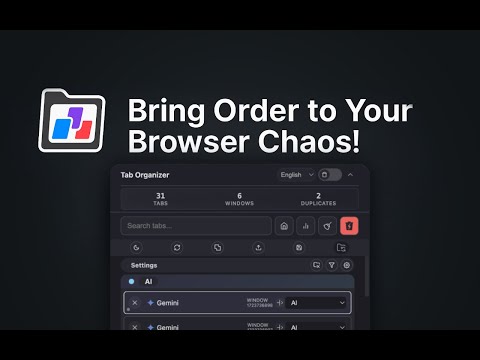
🎯 Take Control of Your Browser Tabs with Tab Organizer Are you drowning in browser tabs? Tab Organizer is your all-in-one solution for effortless tab management, helping you stay organized and boost your productivity. ✨ Key Features: - Smart Tab Groups Automatically organizes your tabs into intuitive groups based on their content and purpose. Keep your workflow clean and structured with synchronized tab groups across windows. - Powerful Session Management Save and restore your complete browsing sessions with perfect precision - even across multiple windows and displays. Your window layouts and tab organizations remain exactly as you left them. - Intelligent Tab Recommendations Identifies duplicate tabs and suggests which tabs to close based on usage patterns, helping you maintain a clutter-free browsing experience. - Multi-Window Management Effortlessly merge windows or move tabs between them with just a few clicks. Perfect for multi-monitor setups and complex workflows. - Live Tab Counter Stay aware of your open tabs with a dynamic badge counter that changes color to help you maintain optimal browser performance. - Multiple Language Support Fully localized interface available in 20+ languages for a truly global browsing experience. ⌨️ Quick Actions: - Open Tab Organizer: - Windows/Linux: Alt + O - Mac: Option + O - Quick Close All (except active tab): - Windows/Linux: Alt + Shift + K - Mac: Option + Shift + K Instantly close all tabs and windows except your current one - no need to open the extension! 🎯 Perfect for: - Professionals managing multiple projects - Researchers handling numerous sources - Students organizing study materials - Anyone who wants a cleaner, more organized browsing experience 💡 Why Tab Organizer? - Lightweight and fast - Privacy-focused - no data collection - Regular updates and improvements - Intuitive interface - Keyboard shortcuts for power users Download Tab Organizer now and transform your browsing experience into a organized, productive workflow! Free • No Ads
5점 만점에 4.2점평점 5개
세부정보
개인정보 보호

개발자가 사용자 데이터에 관해 다음과 같이 선언했습니다
- 승인된 사용 사례를 제외하고 서드 파티에 판매하지 않음
- 항목의 핵심 기능과 관련 없는 목적으로 사용하거나 전송하지 않음
- 신용도 판단 또는 대출 목적으로 사용하거나 전송하지 않음
지원
질문, 제안 또는 문제와 관련하여 도움이 필요하시면 개발자의 지원 사이트를 방문하세요.