

Tab Monitor

Descripción general
Supervisa tus pestañas y recupera tu RAM.
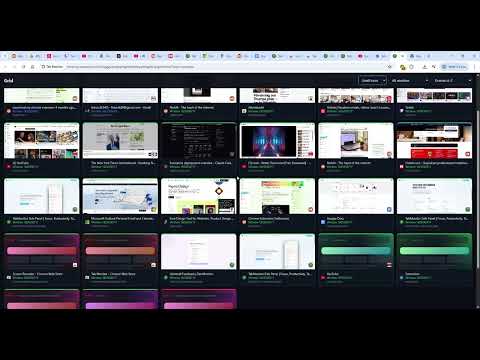
🎯 Monitor & Control Your Chrome Tabs in Real-Time See exactly how much RAM and CPU each tab uses. Close resource hogs instantly. Reclaim your browser's performance. ✨ Features * Real-time Memory Tracking – See RAM usage for every open tab updated every 3 seconds * CPU Monitoring – Track processor usage per tab * Color-Coded Status – 🟢 Green (healthy) · 🟡 Yellow (warning) · 🔴 Red (critical) * One-Click Tab Closing – Kill resource-heavy tabs instantly * Focus mode - select which tabs should be available and for how long - Blocks new tabs * Bulk Actions – Close all critical tabs at once with "Clear the Room" * Tab Favorites – Auto-tracked based on your browsing history * Session History – Reopen recently closed tabs anytime * Visual Indicators – Optional title prefixes & favicon badges showing tab status * Smart Notifications – Get alerted when tabs exceed 1GB RAM * Multiple Window Support – Organized color-coded views for each window * Full Statistics – Track RAM freed, tabs closed, session metrics ⚡ PRO Features * Advanced Insights – Trend analytics, memory peaks, domain-by-domain breakdown * Unlimited Focus mode usage * Per-Site Rules – Set custom critical thresholds for specific domains * Auto-Suspend – Automatically suspend inactive high-RAM tabs after 10 minutes * Memory Leak Detection – Get alerts when a tab's memory grows too fast * Parking Lot – Temporarily close tabs and restore them later with full context * Saved Sessions – Save and restore your entire tab layouts anytime * Device Management – Manage Pro access across your devices 🔒 Privacy First * 100% Local – All metrics stay on your device * No Tracking – Zero analytics or telemetry * No Account Required – Works completely offline (Pro features require sign-in) Tab Monitor: Find the bloat. Kill the lag. Reclaim your RAM. 🚀 ======================================= Update 1.0.5 - March 12th 2026 * Added language support for French, Spanish and German * Fixed some bugs * Reduced permissions to Supabase (for authentication) to only require the specific database connected to Tab Monitor ======================================= Update 1.0.4 - March 9th 2026 * Made some of the mandatory permissions optimal instead of required. These can be toggled on/off in the settings instead. * Improved Focus Mode to re-open tab state from before Focus Mode was activated once Focus mode is deactivated and also allow a HH:MM timer for Focus Mode for PRO-users * Added input for manual termination for Focus Mode to not deactivate it accidentally. ======================================= Update 1.0.3 - March 5th 2026 * Added Focus mode - Select one or several tabs, press Focus mode and you will only be able to view these tabs for 1-60 minutes. Stay focused while using the browser. Can be deactivated. * Added auto-save of sessions to restore tab layout in case of a crash. Saves every 5 minutes ======================================= Update 1.0.2 - March 3rd 2026 * Updated Auth flow * Added correct favicons for tabs * Added support for Microsoft Edge
4 de 57 valoraciones
Detalles
- Versión1.0.9
- Actualizado6 de mayo de 2026
- FuncionesOfrece compras en aplicaciones
- Tamaño237KiB
- Idiomas8 idiomas
- Desarrollador
- No operadorEste desarrollador no se ha identificado como operador. Los consumidores residentes en la Unión Europea deben tener en cuenta que los derechos de los consumidores no son aplicables a los contratos que suscriban con este desarrollador.
Privacidad

Tab Monitor ha revelado la siguiente información sobre la recogida y el uso de tus datos. Puedes consultar información más detallada en la privacy policy del desarrollador.
Tab Monitor gestiona lo siguiente:
Este desarrollador declara que tus datos:
- No se venden a terceros, excepto en los casos de uso aprobados
- No se usan ni se transfieren para fines no relacionados con la función principal del elemento.
- No se usan ni se transfieren para determinar la situación crediticia ni para ofrecer préstamos.
Ayuda
Si tienes alguna pregunta, sugerencia o problema, visita el sitio de asistencia del desarrollador.