


Overview
Group tabs by site, close duplicates, merge windows, and track daily focus tasks in a fast, local new-tab dashboard.
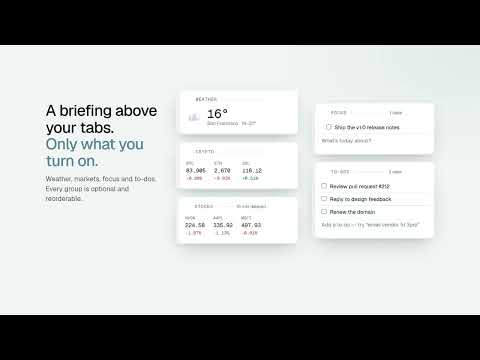
OpenTabs is a privacy-first new-tab workspace that helps you see, organize, and act on your open tabs without sending your browsing activity to a remote service. Tab grouping and ranking run locally in the extension, so your tabs stay in your browser. FEATURES • View open tabs from multiple browser windows in one place • Group tabs automatically by website • Close tabs directly from the dashboard • Find and close duplicate pages • Merge tabs from multiple windows • Capture your daily focus with tasks and nested steps • Keep task progress after refreshing the page • Launch frequently used web apps • Add configurable cards for weather, calendars, bookmarks, markets, topics, and more • Export and restore your configuration with a portable config string Core tab management and Focus features work without an account. An account is only needed for community actions such as publishing or liking shared packs. OpenTabs is free and open source. It is designed for a fast new-tab experience, with local processing for tab organization and background updates for optional information cards. Available for Chromium-based browsers and Firefox. GitHub: https://github.com/opentabs-app/OpenTabs/
0 out of 5No ratings
Details
- Version1.0.5
- UpdatedOctober 11, 2026
- Size757KiB
- Languages18 languages
- DeveloperWebsite
Email
opentabsappl@gmail.com - Non-traderThis developer has not identified itself as a trader. For consumers in the European Union, please note that consumer rights do not apply to contracts between you and this developer.
Privacy

Tab Manager - Duplicates & Merge | OpenTabs has disclosed the following information regarding the collection and usage of your data. More detailed information can be found in the developer's privacy policy.
Tab Manager - Duplicates & Merge | OpenTabs handles the following:
This developer declares that your data is
- Not being sold to third parties, outside of the approved use cases
- Not being used or transferred for purposes that are unrelated to the item's core functionality
- Not being used or transferred to determine creditworthiness or for lending purposes
Support
For help with questions, suggestions, or problems, visit the developer's support site