

Tab Launcher: Switch to Last Tab & Search Open Tabs

Overview
Switch to your last used tab with one keyboard shortcut, cycle recent tabs, or search open tabs. Free, private, no tracking.
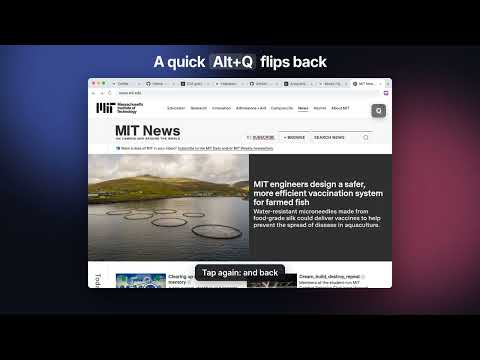
Go back to your previous tab with one shortcut, cycle through recent tabs in most-recently-used order, or type to search all open tabs. Tab Launcher is a keyboard tab switcher and command bar for Chrome. COMMAND BAR (Alt+K) • Press Alt+K on any page and start typing. Your open tabs appear, most recent first. • Enter on an open tab switches to it instead of opening a duplicate. • Type a URL to go there, or anything else to search with your default search engine. • Optional: turn on history and bookmark search in settings to find pages you closed. • Alt+L edits the current page's address. • Press Tab on an empty bar for actions: copy URL, copy as Markdown, pin, duplicate, move to a new window, reopen closed tab and more. RECENT TAB SWITCHER (Alt+Q) • Hold Alt and tap Q to see your most recent tabs. Release to switch. • A quick tap jumps straight back to your last tab. • Esc cancels. W closes the selected tab. • Optional: turn on tab previews in settings to see a picture of each tab. • Optional: show recent tabs from all windows instead of just the current one. • Optional: tabs you open in the background come next in the switcher instead of last. PREFER CMD+T OR CTRL+TAB? Chrome doesn't let extensions claim those keys by default, but the settings page shows how to assign them yourself in under a minute. The settings page also shows which shortcuts are set right now, so you can tell if one was reset. PRIVATE BY DESIGN • Everything runs on your computer. Nothing you type or browse is sent anywhere. • No accounts, no tracking, no analytics. • The command bar over web pages runs in a sealed extension frame that websites can't read. If a page pulls keyboard focus away from it, the bar moves to its own window. For complete separation, a setting opens the bar in its own window every time.
5 out of 51 rating
Details
- Version0.7.1
- UpdatedNovember 11, 2026
- Size86.56KiB
- Languages55 languages
- DeveloperWebsite
Email
simplybacklinkpro@gmail.com - Non-traderThis developer has not identified itself as a trader. For consumers in the European Union, please note that consumer rights do not apply to contracts between you and this developer.
Privacy

This developer declares that your data is
- Not being sold to third parties, outside of the approved use cases
- Not being used or transferred for purposes that are unrelated to the item's core functionality
- Not being used or transferred to determine creditworthiness or for lending purposes
Support
For help with questions, suggestions, or problems, please open this page on your desktop browser