

Tab Gallery – Visual Tab Manager for Chrome
7 ratings
)
Overview
Visual Tab Manager for Chrome · Built for Power Users
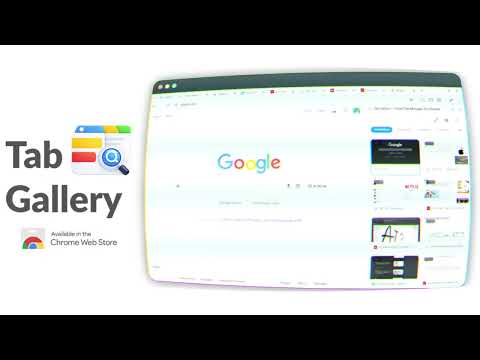
Take Control of Your Tabs — Without Leaving Your Page If you regularly work with dozens (or hundreds) of tabs, Chrome’s default tab strip quickly becomes overwhelming. Tab Gallery brings clarity back to your browsing by giving you a visual, searchable overview of all your tabs — directly inside Chrome’s side panel. No new pages. No disruption. Just a faster way to manage tabs. 🚀 Key Features 🖼️ Visual Side Panel View all open tabs across all windows in one clean, visual gallery. Manage your tabs without switching away from what you’re doing. 🔍 Powerful Real-Time Search Instantly find any tab by typing part of its title or URL. Results update as you type, even with large numbers of tabs open. 🧩 Native Chrome Tab Groups Create, name, color, and manage Chrome’s built-in tab groups directly from the gallery. Drag and drop tabs to organize your workflow visually. 🪄 Smart Grouping With one click, automatically group related tabs by domain — perfect for research, projects, or topic-based browsing. 🗑️ Close Duplicate Tabs Detect and close duplicate tabs instantly to reduce clutter and save memory. ↩️ Undo Close Accidentally closed a tab? A built-in undo option lets you restore it immediately. ⌨️ Keyboard-First Navigation Designed for speed and power users: Alt + Q — Open or close the Tab Gallery side panel Alt + W — Cycle through recently used tabs across windows (Alt-Tab style) Navigate your browser faster without touching the mouse. 🌗 Customizable Experience Automatically matches your system light or dark theme Choose a default color for new tab groups Works smoothly whether you have 10 tabs or 500+ ⚡ High Performance by Design Tab Gallery is engineered to stay fast even with heavy browsing sessions. It uses optimized rendering techniques to handle large tab collections without slowing Chrome down. 🔐 Privacy & Security Your privacy is a priority. Built on Chrome Manifest V3 Requests only essential permissions No tracking No analytics No external servers All data stays on your device 🧭 How to Use Click the Tab Gallery icon or press Alt + Q Browse or search your tabs in the side panel Click a tab to switch instantly Drag and drop tabs to reorder or group them Press Alt + W to quickly cycle through recent tabs Why Choose Tab Gallery? Unlike tab managers that open a separate page and break your focus, Tab Gallery integrates directly into Chrome’s side panel. It enhances Chrome’s native tab experience instead of replacing it — making it feel like a built-in feature. Install Tab Gallery and turn tab chaos into organized clarity.
5 out of 57 ratings
Details
- Version1.1.0
- UpdatedJanuary 13, 2026
- Offered byDigital Detox Labs
- Size2.13MiB
- LanguagesEnglish
- Developer
Email
digital.detox.labs@gmail.com - Non-traderThis developer has not identified itself as a trader. For consumers in the European Union, please note that consumer rights do not apply to contracts between you and this developer.
Privacy

This developer declares that your data is
- Not being sold to third parties, outside of the approved use cases
- Not being used or transferred for purposes that are unrelated to the item's core functionality
- Not being used or transferred to determine creditworthiness or for lending purposes