

Tab Gallery – Visual Tab Manager for Chrome
7 个评分
)
概述
Visual Tab Manager for Chrome · Built for Power Users
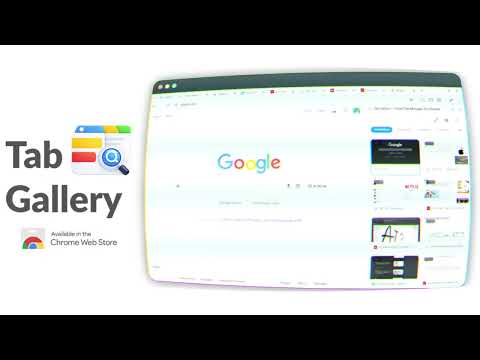
Take Control of Your Tabs — Without Leaving Your Page If you regularly work with dozens (or hundreds) of tabs, Chrome’s default tab strip quickly becomes overwhelming. Tab Gallery brings clarity back to your browsing by giving you a visual, searchable overview of all your tabs — directly inside Chrome’s side panel. No new pages. No disruption. Just a faster way to manage tabs. 🚀 Key Features 🖼️ Visual Side Panel View all open tabs across all windows in one clean, visual gallery. Manage your tabs without switching away from what you’re doing. 🔍 Powerful Real-Time Search Instantly find any tab by typing part of its title or URL. Results update as you type, even with large numbers of tabs open. 🧩 Native Chrome Tab Groups Create, name, color, and manage Chrome’s built-in tab groups directly from the gallery. Drag and drop tabs to organize your workflow visually. 🪄 Smart Grouping With one click, automatically group related tabs by domain — perfect for research, projects, or topic-based browsing. 🗑️ Close Duplicate Tabs Detect and close duplicate tabs instantly to reduce clutter and save memory. ↩️ Undo Close Accidentally closed a tab? A built-in undo option lets you restore it immediately. ⌨️ Keyboard-First Navigation Designed for speed and power users: Alt + Q — Open or close the Tab Gallery side panel Alt + W — Cycle through recently used tabs across windows (Alt-Tab style) Navigate your browser faster without touching the mouse. 🌗 Customizable Experience Automatically matches your system light or dark theme Choose a default color for new tab groups Works smoothly whether you have 10 tabs or 500+ ⚡ High Performance by Design Tab Gallery is engineered to stay fast even with heavy browsing sessions. It uses optimized rendering techniques to handle large tab collections without slowing Chrome down. 🔐 Privacy & Security Your privacy is a priority. Built on Chrome Manifest V3 Requests only essential permissions No tracking No analytics No external servers All data stays on your device 🧭 How to Use Click the Tab Gallery icon or press Alt + Q Browse or search your tabs in the side panel Click a tab to switch instantly Drag and drop tabs to reorder or group them Press Alt + W to quickly cycle through recent tabs Why Choose Tab Gallery? Unlike tab managers that open a separate page and break your focus, Tab Gallery integrates directly into Chrome’s side panel. It enhances Chrome’s native tab experience instead of replacing it — making it feel like a built-in feature. Install Tab Gallery and turn tab chaos into organized clarity.
5 星(5 星制)7 个评分
详情
- 版本1.1.0
- 上次更新日期2026年1月13日
- 提供方Digital Detox Labs
- 大小2.13MiB
- 语言English
- 开发者
邮箱
digital.detox.labs@gmail.com - 非交易者该开发者尚未将自己标识为交易者。欧盟地区消费者须知:消费者权利可能不适用于您与该开发者达成的合约。
隐私权

该开发者已声明,您的数据:
- 不会因未获批准的用途出售给第三方
- 不会为实现与产品核心功能无关的目的而使用或转移
- 不会为确定信用度或放贷目的而使用或转移