


Overview
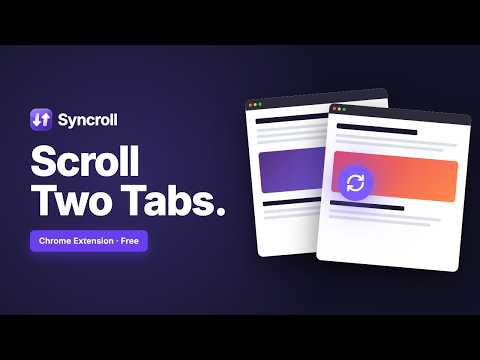
Sync scroll across Chrome Split View, side-by-side windows, and canvas apps like Figma. Works on any two tabs in any window.
Syncroll keeps two browser tabs moving together: scroll one and the other follows. It works in Chrome's native Split View, in a pair of side-by-side windows, or wherever the pair happens to be, and it even handles design canvases that ordinary sync tools can't. THREE WAYS TO PAIR PAGES • Split View - open two tabs in Chrome's built-in Split View and both panes are detected for you. Syncroll was built around this layout from day one. • Side-by-side windows - pick any two tabs, tick "Open in new window", and they are arranged at the left and right halves of your screen automatically. • Any two tabs, anywhere - choose the left and right pane from a dropdown, even when they live in different windows. Nothing needs rearranging first. CHOOSE HOW THEY LINE UP • Relative - the default. Both pages reach the top and bottom together, however different their lengths, which suits reading two articles in parallel. • Exact - both sides sit at the same pixel position and travel the same distance. The shorter one stops at its end while the longer one keeps going, which is ideal for comparing two versions of the same document. Switch at any time, even mid-session, and your choice is remembered across your devices. WORKS BEYOND ORDINARY WEBSITES • Chat apps such as ChatGPT and Gemini move an inner panel rather than the whole page. That panel is found automatically, so the sidebar stays put while both conversations advance together. • Design tools such as Figma, Miro and Excalidraw draw on a WebGL canvas with no conventional scrolling. Mouse-wheel movement is relayed between the two instead, so both boards pan and zoom in step. Mix and match freely: a long article beside a design board, or two AI chats compared line by line. HOW IT WORKS 1. Click the toolbar icon. 2. Pick a left and right pane, or let Split View detection fill them in. 3. Optionally have them arranged side by side. 4. Press Sync and start reading. WHAT'S NEW IN 1.2.0 • Scroll alignment: Relative or Exact, switchable at any time • A refreshed interface that follows your light or dark theme • A redesigned icon • Fixed: returning a pane to a spot it had just shared could leave the two out of step PRIVATE BY DESIGN No data collection, no tracking, no servers. Everything happens locally in your browser through its built-in messaging, and no external network requests are made.
0 out of 5No ratings
Details
- Version1.2.0
- UpdatedSeptember 18, 2026
- Size42.74KiB
- LanguagesEnglish
- DeveloperWebsite
Email
jubayeramb@gmail.com - Non-traderThis developer has not identified itself as a trader. For consumers in the European Union, please note that consumer rights do not apply to contracts between you and this developer.
Privacy

This developer declares that your data is
- Not being sold to third parties, outside of the approved use cases
- Not being used or transferred for purposes that are unrelated to the item's core functionality
- Not being used or transferred to determine creditworthiness or for lending purposes
Support
For help with questions, suggestions, or problems, please open this page on your desktop browser