

SwiftSelect - Instantly Copy or Download Any Area or Entire Page
4 ratings
)
Overview
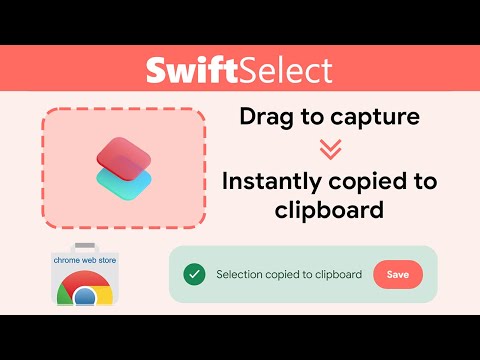
Click icon → drag to select → copied to clipboard.
SwiftSelect — Capture, Copy, or Download (Area or Full Page) Capture exactly what you see—or the entire page—in seconds. SwiftSelect creates a seamless bridge between your browser and your clipboard. Whether you need to grab a specific paragraph, a complex diagram, or an entire scrolling webpage, this extension handles it with a single click or keystroke. Designed with a modern, Material-inspired interface, it feels like a native part of your browser: unobtrusive, fast, and secure. 🚀 Core Features & Upgrades Precision Area Capture: Simply drag to select any part of your screen. The interface features a smooth, animated overlay that makes selection precise and easy on the eyes. Full Page Support: Don't limit yourself to what is visible. Capture the entire length of a webpage with our new Full Page feature. Instant Workflow: Copy: Your selection is instantly copied to your clipboard—ready to paste into documents or chats. Save: Download your capture to your device with a single click. Smart Activation: Launch instantly via the toolbar icon or the Alt+x shortcut. 🛠️ How It Works Activate: Click the SwiftSelect icon or press Alt+x. Select: Drag your cursor to define an area, or use the menu to grab the "Visible Tab" or "Full Page." Act: The image is automatically ready. Paste it anywhere or click "Save" to keep a file.
5 out of 54 ratings
Details
- Version1.4.0
- UpdatedDecember 4, 2025
- Offered byarsalan06106
- Size318KiB
- LanguagesEnglish
- Developer
Email
arsalan06106@gmail.com - Non-traderThis developer has not identified itself as a trader. For consumers in the European Union, please note that consumer rights do not apply to contracts between you and this developer.
Privacy
This developer declares that your data is
- Not being sold to third parties, outside of the approved use cases
- Not being used or transferred for purposes that are unrelated to the item's core functionality
- Not being used or transferred to determine creditworthiness or for lending purposes