

SVG Line Tracer

Overview
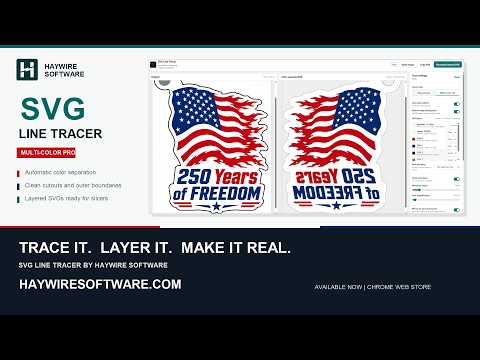
Turn browser images into clean monochrome or layered multi-color artwork for SVG, 3MF, DXF, PDF, and PNG export.
Turn line art, logos, and flat-color images into editable artwork for design and fabrication. Start from a browser image, open or paste a local image, or create a blank drawing. New in 0.6.13: prepare, trace, and edit - Set a maximum color count and automatically merge similar shades, or merge and recolor groups by hand. - Trace monochrome paths or separate color layers. Clean up gaps, specks, and source pixels while comparing the result. - Select without moving artwork, use Move to reposition it, and zoom into a chosen detail. - Draw eight shape presets or custom polygons. Edit outline points, dimensions, layer order, colors, and Color/Cutout/Ignore roles. - Add editable text with a colored border. Import TTF, OTF, WOFF, or WOFF2 files, or use installed fonts. - Place an interior hole or attached keyring loop. Add a backing or surround that follows your current artwork. - Undo changes, save editable .sltproject files, restore local recovery, and use the in-app guide. Export SVG, 3MF, DXF, PDF, or PNG Keep physical dimensions and edited geometry across vector, raster, and model outputs. Model-only 3MF supports raised, recessed, or face-down construction, heights, and material slots. Set printer, material, and process details in your slicer; those profiles are not included. Text exports as outlines. Used imported fonts travel with saved projects; installed fonts must be available on another computer to edit the wording. Retracing replaces vector edits, so save a project before retracing artwork you want to keep. Local artwork processing Images, vectors, and fonts are processed locally. Projects and recovery retain artwork on your device. Page capture may temporarily store a visible-tab screenshot locally before cropping. Retrieving an online image contacts its website. Haywire handles plan and credit checks; Stripe handles purchases and billing management. The extension does not send artwork or font files to these billing services. Free allowance and optional purchases - Free: 3 monochrome exports per calendar week and 3 multi-color exports per calendar month. - Starter Pack: $2.99 USD once for 25 monochrome and 10 multi-color credits. - Pro: $4.99 USD/month or $39 USD/year for unlimited exports, Fine detail, and Copy SVG. Normal exports use the free allowance before purchased credits. Fine-detail output and Copy SVG use a purchased credit unless Pro is active. Purchased balances do not reset each month. Prices and applicable taxes are shown before purchase. Multi-color tracing or more than one exported artwork color uses the multi-color allowance. Automatic backing, Cutout, and Ignore layers are excluded from the artwork-color count. Saved projects retain their tracing detail. Saving projects and presets is unmetered. Haywire Software sells and supports the product independently of Google.
0 out of 5No ratings
Details
- Version0.6.13
- UpdatedSeptember 16, 2026
- FeaturesOffers in-app purchases
- Offered byHaywire Software
- Size741KiB
- LanguagesEnglish (United States)
- Developer
Email
thekingofcrash@me.com - Non-traderThis developer has not identified itself as a trader. For consumers in the European Union, please note that consumer rights do not apply to contracts between you and this developer.
Privacy

SVG Line Tracer has disclosed the following information regarding the collection and usage of your data. More detailed information can be found in the developer's privacy policy.
SVG Line Tracer handles the following:
This developer declares that your data is
- Not being sold to third parties, outside of the approved use cases
- Not being used or transferred for purposes that are unrelated to the item's core functionality
- Not being used or transferred to determine creditworthiness or for lending purposes
Support
For help with questions, suggestions, or problems, visit the developer's support site