


개요
Rich shortcuts to click links/switch tabs/scroll, capture pages, use your browser like vim for productivity.
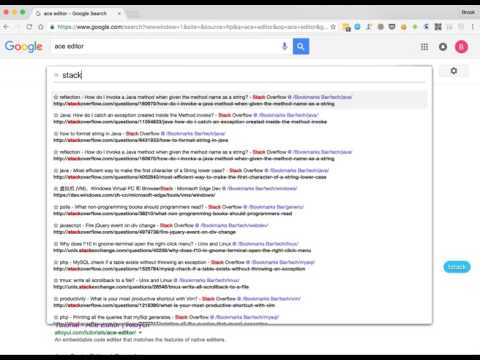
A Chrome extension for Vim users, but EMACS users would also love it, as it is much extendable with javascript. # to click links f Open a link, press SHIFT to flip hints if they are overlapped. C Open a link in non-active new tab cf Open multiple links in a new tab gf Open a link in non-active new tab af Open a link in new tab # to switch tabs E Go one tab left R Go one tab right x Close current tab X Restore closed tab W New window with current tab J Move current tab to left K Move current tab to right yt Duplicate current tab << Move current tab to left >> Move current tab to right g0 Go to the first tab g$ Go to the last tab gx0 Close all tabs on left gxt Close tab on left gxT Close tab on right gx$ Close all tabs on right # to scroll pages / DIVs 0 Scroll all the way to the left e Scroll a page up d Scroll a page down gg Scroll to the top of the page G Scroll to the bottom of the page j Scroll down k Scroll up h Scroll left l Scroll right $ Scroll all the way to the right % Scroll to percentage of current page cS Reset scroll target cs Change scroll target # to capture full pages / DIV yG Capture current full page yS Capture scrolling element # to search seleted with kinds of search engines sg Search selected with google sw Search selected with bing sy Search selected with youtube sb Search selected with baidu # to edit input with vim editor Ctrl-i Go to edit box with vim editor # to edit URL with vim editor su Edit current URL with vim editor
5점 만점에 4.7점평점 291개
세부정보
개인정보 보호

개발자가 사용자 데이터에 관해 다음과 같이 선언했습니다
- 승인된 사용 사례를 제외하고 서드 파티에 판매하지 않음
- 항목의 핵심 기능과 관련 없는 목적으로 사용하거나 전송하지 않음
- 신용도 판단 또는 대출 목적으로 사용하거나 전송하지 않음
지원
질문, 제안 또는 문제와 관련하여 도움이 필요하시면 개발자의 지원 사이트를 방문하세요.