

SuperIns – Instagram Video Downloader & Reels Analytics

Overview
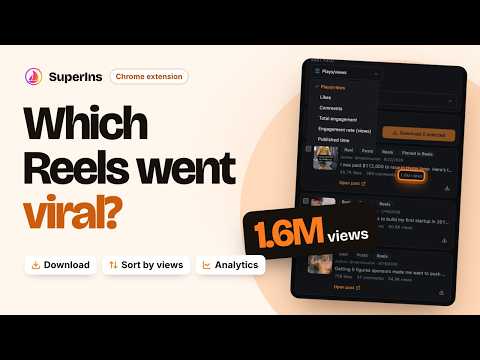
Download Instagram videos, Reels, Stories and Highlights. Sort posts by views, compare accounts and export post data to CSV.
SuperIns is an Instagram video downloader for your browser’s side panel. Save Reels, photos, Stories and Highlights to your computer. When you scan a profile, you can also find its most viewed Reels and see how its posts perform. Download media • Open a post, Reel, Story or Highlight to download the media directly. For a carousel, save an individual photo or video, or download the carousel as a ZIP file. You can enable the download button on Instagram pages in Settings. • After scanning a profile’s Stories or Highlights, open Overview to see them. Save items individually, or create a ZIP from that account’s Stories or a single Highlight. You can also download the profile picture in HD when available. • In Content, select videos, Reels or photos and download them in bulk to a folder you choose. Include video covers as JPG files if you need them. You can stop a batch and retry failed downloads. Sort, compare and export Sign in to Instagram in your browser, open a profile you can view and choose what to scan. Posts, Reels and reposts appear in Content. Search captions and hashtags, filter by content type or open the original post. Sort by views, likes, comments, engagement rate or date, then export the metrics, captions, hashtags and links for selected posts to CSV. Compare two saved accounts using median Reel views, median engagement, viral rate or posting frequency. Save snapshots to review changes over time. You can also export the followers and following lists that SuperIns has retrieved to CSV. SuperIns uses your existing Instagram session and never asks for your password. It analyzes the public metrics you can access, processes the data locally and keeps saved accounts, scans and snapshots on your device. Private Insights such as reach, watch time and conversions are unavailable. Retrieving media and data requires an internet connection. Instagram can limit results, and changes to its web interfaces may temporarily affect features. SuperIns is an independent product and is not affiliated with Instagram or Meta.
5 out of 52 ratings
Details
- Version1.5.2
- UpdatedNovember 28, 2026
- Size831KiB
- Languages12 languages
- DeveloperWebsite
Email
mylysddp@gmail.com - Non-traderThis developer has not identified itself as a trader. For consumers in the European Union, please note that consumer rights do not apply to contracts between you and this developer.
Privacy

This developer declares that your data is
- Not being sold to third parties, outside of the approved use cases
- Not being used or transferred for purposes that are unrelated to the item's core functionality
- Not being used or transferred to determine creditworthiness or for lending purposes
Support
For help with questions, suggestions, or problems, visit the developer's support site