

SuperIns-Instagram Video Downloader & Reels Analytics

Overview
Download Instagram videos, Reels and photos in batches. Sort by views or likes, analyze accounts, and export CSV.
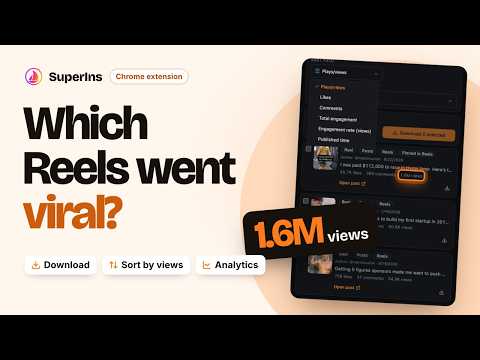
Download Instagram videos, Reels and photos to your computer. SuperIns combines an Instagram reel downloader with tools to sort posts, compare accounts and export content data. What you can do: • Download selected videos, Reels and photos individually or in batches of up to 100 items. • Save available photos and videos from carousel posts as ZIP files. • Sort collected results by views, likes, comments, engagement rate or date. • Search captions and hashtags, filter content types, and open the original post. • Analyze account performance with median Reel views, median engagement and posting frequency. • Compare two saved accounts and review manually saved data snapshots. • Export metrics, captions, hashtags and post links to CSV. You can also export retrieved followers and following lists. Get started: 1. Sign in to Instagram in your browser and open a profile you can access. 2. Load its posts or Reels with SuperIns, then sort the results and select the content you want. 3. Download the selected media to your computer or export the data to CSV. Results reflect the collected sample and metrics available at the time. Instagram may limit which content and lists can be retrieved. Sorting applies to the extension's results. Private Insights such as reach, watch time and conversions are not included. SuperIns uses your existing Instagram session and does not ask for your password. Saved accounts, scans and snapshots stay on your device. An internet connection is needed to retrieve Instagram content and media. SuperIns is an independent product and is not affiliated with Instagram or Meta.
5 out of 52 ratings
Details
- Version1.5.1
- UpdatedOctober 10, 2026
- Size603KiB
- Languages11 languages
- DeveloperWebsite
Email
lysddp@gmail.com - Non-traderThis developer has not identified itself as a trader. For consumers in the European Union, please note that consumer rights do not apply to contracts between you and this developer.
Privacy

This developer declares that your data is
- Not being sold to third parties, outside of the approved use cases
- Not being used or transferred for purposes that are unrelated to the item's core functionality
- Not being used or transferred to determine creditworthiness or for lending purposes
Support
For help with questions, suggestions, or problems, visit the developer's support site