

SuperFlow - Auto Bulk AI Video & Image Automations for Flow AI

Overview
Auto bulk Veo videos & Nano Banana images on Flow AI: batch prompt queue, auto-download, AI automations, nodes & video editor.
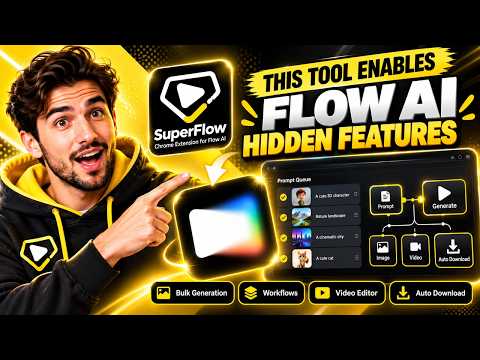
SuperFlow is the all-in-one automation suite for Flow AI. Queue hundreds of prompts, generate AI videos and images in bulk with Veo and Nano Banana, run AI automations and node graphs, edit the clips into one video, and download everything automatically — all inside your own Flow AI tab. ⚡ BULK AI VIDEO & IMAGE GENERATION • Add prompts straight from Flow's own composer, or import a whole list from a .txt or .json file — one prompt per line. • Press Run and SuperFlow works through the queue for you: text to video, image to video, frames to video (start and end frame) and image generation. • Every model Flow offers on your Google plan: Veo 3.1 Lite, Fast and Quality, Omni Flash, and Nano Banana 2, Pro and Lite — with the aspect ratio, clip length and image count you pick. • Reference images and @tags work as they do in Flow. • A live task list shows every prompt as it runs, with previews of each result. ⬇️ AUTO-DOWNLOAD • Each image and video is saved the moment it finishes, into a folder you choose. • Download quality per kind: 1K or 2K images, 720p or 1080p videos (Flow's own upscales, on the plans Google allows). • Download from Flow: browse every project in your Flow account and download any or all of its images and videos at once. 🤖 AI AUTOMATIONS (WORKFLOWS) • One-click automations that plan the whole job for you: Gemini or ChatGPT writes the ideas and prompts, SuperFlow generates the images and clips, and you get a finished set to download or edit. • 20 ready-made automations in SuperFlow's Workflows: ASMR videos (cake, cutting, watermelon carving, nostalgia), plant growth time-lapses, an animated horror story, product and car unboxings, factory manufacturing, giant hand at landmarks, T-shirt designs & mockups, sticker & clipart packs, wall art collections, and a bulk AI video maker. 🧩 NODES — A VISUAL AI PIPELINE BUILDER • Drag nodes onto a canvas and wire them together: Text, Prompt list, Image, AI Writer, Generate image, Generate video, Last frame, Pick, Approve and Video Editor. • Continue a clip from its last frame, review and redo results before the next step, and run one node or the whole graph. 🎬 VIDEO EDITOR • Arrange, trim and split your clips on a timeline, add text, transitions, music and effects, then export one MP4 — right in the Flow tab. ✨ MADE FOR GOOGLE FLOW • SuperFlow lives in Flow's own sidebar and composer: no separate app, no extra window. • Runs in your own signed-in Flow tab and uses your own Flow AI account and credits. • Smooth, modern design with colour themes and a reduce-motion option. HOW TO START 1. Install SuperFlow and open Flow AI (flow.google.com). 2. Open a project and click Account in the SuperFlow section of the sidebar to sign in — it's free. 3. Type a prompt, click Add to queue (or import a file), then click Run. SuperFlow is an independent tool and is not affiliated with, endorsed by or sponsored by Google. Google Flow, Veo and Nano Banana are trademarks of Google LLC.
0 out of 5No ratings
Details
- Version1.0.1
- UpdatedOctober 26, 2026
- Size991KiB
- LanguagesEnglish
- DeveloperWebsite
Email
autotoolslabs@gmail.com - Non-traderThis developer has not identified itself as a trader. For consumers in the European Union, please note that consumer rights do not apply to contracts between you and this developer.
Privacy

SuperFlow - Auto Bulk AI Video & Image Automations for Flow AI has disclosed the following information regarding the collection and usage of your data. More detailed information can be found in the developer's privacy policy.
SuperFlow - Auto Bulk AI Video & Image Automations for Flow AI handles the following:
This developer declares that your data is
- Not being sold to third parties, outside of the approved use cases
- Not being used or transferred for purposes that are unrelated to the item's core functionality
- Not being used or transferred to determine creditworthiness or for lending purposes
Support
For help with questions, suggestions, or problems, visit the developer's support site