

Super Sort & Search for Airbnb – Sort by Price, Amenity & Review Filters

Overview
Find the cheapest Airbnb: sort all results by real price, filter by amenities, search descriptions and reviews. Free.
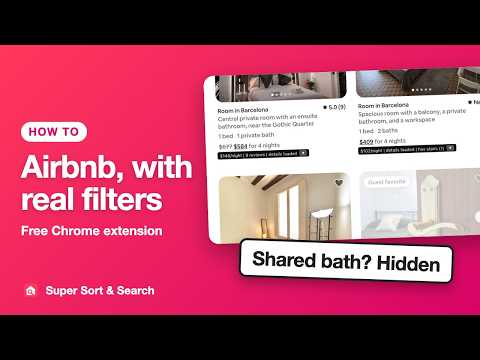
Find the cheapest Airbnb fast: sort every result by real price, cheapest first, right on Airbnb's own pages. Airbnb shows you 18 listings at a time, in its own order, with filters that miss what you care about. Super Sort & Search fixes that on Airbnb's own pages. Works on airbnb.com in any country, and on Airbnb's local sites (airbnb.co.uk, airbnb.de, es.airbnb.com and others) after one click to enable them. PRIVATE BATHROOM ONLY - Hide every room with a shared bathroom, a filter Airbnb doesn't have. - It checks each listing's details and what guests say in reviews. SORT BY PRICE - Sort by nightly or total price for your dates, low to high or high to low. - Load all pages of a search, up to about 270 listings in the map area, then see your matches first, in your order, as Airbnb's own cards. Move the map and load again: everything you loaded in that area stays in your sorted view. FILTERS AIRBNB DOESN'T HAVE - Search every listing's title, description, full amenity list and recent reviews at once: "washer, elevator, -cat". - Understands synonyms: "washing machine" finds "washer", "lift" finds "elevator", "AC" finds "air conditioning". - Knows negation: "no cats allowed" and "smoke-free" don't count as mentions. - Price range per night or for your whole stay, including monthly stays. READS THE REVIEWS FOR YOU - Flags noise, stairs, bad wifi and shared bathrooms, with the guests' own words. - Understands phrasing: "we dragged our bags up 7 floors" counts as stairs; "no noise at all" does not count as noise. - Two levels: "has noise" is reliable (two or more mentions, or a clear one); "noise mentioned" is weaker evidence you can check yourself. - A small AI model built into the extension reads the reviews on your computer. Reviews never go to an outside AI service. - Add your own keyword flags, such as "pets". SHORTLIST - Like an Airbnb wishlist, with notes: star listings and keep them across searches. - See when a starred listing's price drops or rises on a later search. - Hide listings you never want to see again. HOW IT WORKS - Runs in your browser, right on Airbnb's pages. No account, no sign-up, no ads. - Reads only what Airbnb already shows you, plus each listing's public details, fetched at most about once a second. - Works only on Airbnb's search and listing pages. Never on booking, payment, messages or account pages. Something not working, or a filter you wish existed? Email bzsasson+supersortandsearch@gmail.com. Every message gets read. Not affiliated with, endorsed by, or sponsored by Airbnb, Inc. Airbnb is a trademark of Airbnb, Inc.
0 out of 5No ratings
Details
- Version2.7.3
- UpdatedOctober 26, 2026
- Size21.6MiB
- LanguagesEnglish
- DeveloperWebsite
Email
bzsasson@gmail.com - Non-traderThis developer has not identified itself as a trader. For consumers in the European Union, please note that consumer rights do not apply to contracts between you and this developer.
Privacy

Super Sort & Search for Airbnb – Sort by Price, Amenity & Review Filters has disclosed the following information regarding the collection and usage of your data. More detailed information can be found in the developer's privacy policy.
Super Sort & Search for Airbnb – Sort by Price, Amenity & Review Filters handles the following:
This developer declares that your data is
- Not being sold to third parties, outside of the approved use cases
- Not being used or transferred for purposes that are unrelated to the item's core functionality
- Not being used or transferred to determine creditworthiness or for lending purposes
Support
For help with questions, suggestions, or problems, visit the developer's support site