


Overview
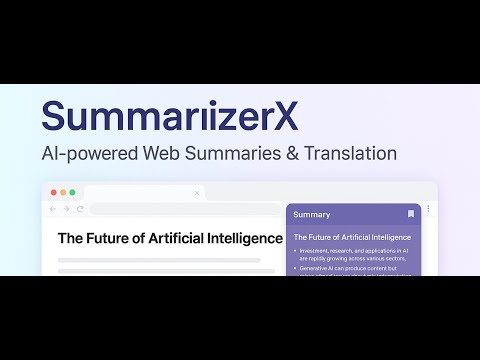
Extract and translate on-page selections via a floating panel. 摘要、翻译网页选区并在页面内弹窗显示。
SummarizerX AI Reader v2.3.15 Highlights Native streaming output: summaries and Q&A now render token by token instead of all at once. Much faster first response: perceived load speed improves significantly during summarization and chat. SSE fallback: automatically switches to non-streaming mode when an API does not support SSE. 更新亮点 原生流式输出:摘要与问答支持逐字呈现,不再一次性输出。 首帧更快:摘要与聊天的加载速度明显提升。 自动回退:当接口不支持 SSE 时自动切回传统非流式方式。 ---------------------- Turn any webpage or document into a clean, focused reading experience powered by instant AI summaries, translations, and PDF processing — all inside one floating panel. Feature Highlights • AI Summaries & Translations Generate concise or detailed summaries, translations, and rewrites for selected text, full pages, or specific PDF page ranges. • Reader Mode Extract clean article text into a distraction-free window with independent scrolling, theme sync, and language toggles. • PDF Intelligence Drag-and-drop local files or paste links for page previews, targeted analysis, and exportable clean PDFs. • Context Menu & Full-Page Tools Right-click to translate selections or process entire pages without leaving your workflow. • On-Page Q&A Ask questions directly about the content you’re reading and receive structured, contextual answers without switching pages. • Dark Mode Optimization Automatically adapts to system theme and improves readability during night-time browsing. • Optional Page Clean-Up Hide distracting banners and visual clutter using customizable rules stored locally in your browser. How to Use Pin the toolbar icon, open the floating panel, extract text, and apply summarize, translate, or rewrite operations. Import PDFs for deeper analysis and adjust API providers, prompts, shortcuts, and themes in settings. Privacy Your API keys stay in browser sync storage, content extraction runs locally, and no tracking or hidden analytics are included. You’re always in control. ⸻ SummarizerX AI Reader(中文说明) 将任意网页或文档变成干净、专注的阅读界面,支持 AI 摘要、翻译与 PDF 智能处理,所有功能都集中在一个浮动面板中完成。 功能亮点 • AI 摘要 / 翻译 / 改写 针对选区、整页或 PDF 指定页码生成摘要、翻译或改写,结果清晰、即时。 • 阅读模式浮窗 一键提取正文并置于无干扰视图中,支持独立滚动、主题联动和语言切换。 • PDF 智能分析 支持拖拽上传或输入链接预览页面、选择范围,并可导出干净格式的 PDF。 • 右键菜单与整页工具 无需离开页面即可执行摘要、翻译或重写操作。 • 网页问答 在阅读过程中提出问题,获得结构化且与页面内容相关的回答,无需跳转。 • 深色模式优化 自动识别系统主题,保证夜间阅读的对比度与舒适性。 • 可选页面清理 隐藏常见干扰项,并支持本地自定义规则,所有处理均在浏览器本地完成。 使用方式 固定工具栏图标并打开面板,点击“提取正文”执行摘要或翻译;导入 PDF 进行分析;在设置页添加或切换 API Key,自定义提示词、快捷键和主题。 隐私声明 API Key 仅存储于浏览器同步空间,本地执行内容提取,无任何追踪或隐藏分析,权限透明、可控。
5 out of 53 ratings
Details
- Version2.3.15
- UpdatedJanuary 25, 2026
- Size6.78MiB
- LanguagesEnglish
- Developer
- Non-traderThis developer has not identified itself as a trader. For consumers in the European Union, please note that consumer rights do not apply to contracts between you and this developer.
Privacy

SummarizerX AI Reader has disclosed the following information regarding the collection and usage of your data. More detailed information can be found in the developer's privacy policy.
SummarizerX AI Reader handles the following:
This developer declares that your data is
- Not being sold to third parties, outside of the approved use cases
- Not being used or transferred for purposes that are unrelated to the item's core functionality
- Not being used or transferred to determine creditworthiness or for lending purposes