

Sumi

Overview
Desktop companion — blocks distracting websites and hides algorithmic feeds during Sumi focus sessions.
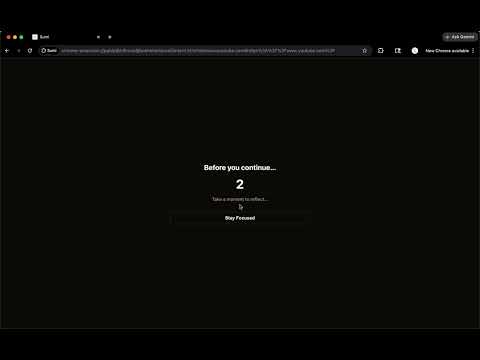
Sumi's Chrome extension works alongside the Sumi desktop app to enforce focus sessions in your browser. During a focus session started from the desktop app, the extension: - Blocks access to distracting websites you've chosen to restrict - Hides algorithmic feeds, recommendations, shorts, and comments on YouTube. - Shows a floating timer so you always know how much session time remains Intent Mode: When you visit a blocked site during an intent session, you'll see an intent form. This will allow you a few seconds to reflect on why you opened the website. How it works 1. Download the Sumi desktop app from sumiapp.io 2. Sign in with the same account in both the desktop app and this extension 3. Start a focus session from the desktop app. The extension activates automatically This extension does not work standalone. It requires the Sumi desktop app to create and manage sessions.
0 out of 5No ratings
Details
- Version5.2.1
- UpdatedJune 20, 2026
- FeaturesOffers in-app purchases
- Size50.43KiB
- LanguagesEnglish
- Developer
Email
arcminutesoftware@gmail.com - Non-traderThis developer has not identified itself as a trader. For consumers in the European Union, please note that consumer rights do not apply to contracts between you and this developer.
Privacy

This developer declares that your data is
- Not being sold to third parties, outside of the approved use cases
- Not being used or transferred for purposes that are unrelated to the item's core functionality
- Not being used or transferred to determine creditworthiness or for lending purposes
Support
For help with questions, suggestions, or problems, visit the developer's support site