


Overview
See tech stack, hiring signals and ICP fit next to any LinkedIn profile. Reveal contact details or draft an email in one click.
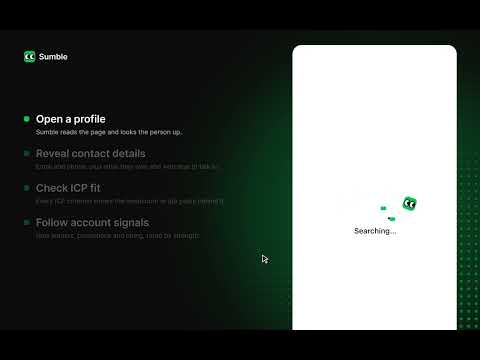
Prep a prospect in the time it takes to open their LinkedIn profile. Click the Sumble icon on someone's LinkedIn profile and a side panel opens with what Sumble knows about them and their company. You get their fit against your ICP, the company's tech stack, recent hiring and a first-draft email. No tab switching and no second login. WHAT'S IN THE PANEL Overview A contact score out of 100 for how well the person's job function, seniority and skills match your ICP. A short read on their role, tenure and team, why now is a good time to reach the company, and other people there worth talking to. Company The company's tech stack, competitors and whitespace, ICP score, and latest funding round relative to headcount. Outreach A first-draft email based on what Sumble knows about the person and their company. Edit it and send. Signals Recent hiring and technology signals for the account. ACT WITHOUT LEAVING THE PAGE • Reveal contact details • Add the person to a Sumble list • Enrich and export to CSV GET STARTED 1. Add the extension and pin it to your toolbar. 2. Sign in at sumble.com. The extension uses that session. 3. Open a LinkedIn profile and click the Sumble icon. Requires a Sumble Pro or Enterprise plan. Lookups and reveals use credits from your plan, the same as on sumble.com.
0 out of 5No ratings
Details
- Version2026.1111.4 (db5fd86)
- UpdatedNovember 12, 2026
- Size477KiB
- LanguagesEnglish
- DeveloperSumble, IncWebsite
386 28th St San Francisco, CA 94131-2309 USEmail
support@sumble.comPhone
+1 224-228-2212 - TraderThis developer has identified itself as a trader per the definition from the European Union and committed to only offer products or services that comply with EU laws.
- D-U-N-S119014763
Privacy

Sumble: Tech Stack, Signals & Contact Lookup has disclosed the following information regarding the collection and usage of your data. More detailed information can be found in the developer's privacy policy.
Sumble: Tech Stack, Signals & Contact Lookup handles the following:
This developer declares that your data is
- Not being sold to third parties, outside of the approved use cases
- Not being used or transferred for purposes that are unrelated to the item's core functionality
- Not being used or transferred to determine creditworthiness or for lending purposes
Support
For help with questions, suggestions, or problems, visit the developer's support site