

Subturtle: Learn English with Subtitles, Videos & AI Coach

Overview
Learn English from any video or web page: tap a subtitle word for its meaning, save and review words, and speak with an AI coach.
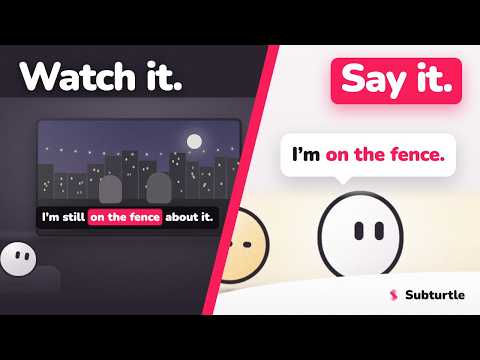
Subturtle turns the videos and web pages you already enjoy into an easy way to learn English. When you meet a word you don't know, you don't stop, open a new tab, or lose the moment. The meaning shows up right where you are. You save the words that matter to you, and Subturtle helps you practice them until they stay. What you can do: • Understand any word while you watch Hover or tap a word on a video subtitle and its meaning appears right on the screen — no pausing, no second tab. Works while you watch on YouTube and Netflix. • Real meaning, saved in one tap See more than a quick translation. Subturtle shows how the word is really used, with a clear example — then you keep it in one tap and build your own word collections (bundles). • Learn from any web page Reading an article, a blog, or any site? Highlight the text to understand it and save it — not just video. • Bring words back with Smart Review Subturtle shows each saved word again at the right time. Easy words come back less often; harder words come back more. This spaced way to review helps them actually stick. • Speak English with your AI Coach Practice out loud with a friendly AI coach. It can help in your own language first, then guide you to speak in English — so speaking feels easier and less scary. Made for your language Subturtle is for people learning English who want it to fit into their day. It helps speakers of many languages — Spanish, French, Portuguese, Japanese, Persian, and more. Add Subturtle, keep watching and reading what you love, and let your English grow a little every day.
5 out of 512 ratings
Details
- Version1.20.3
- UpdatedOctober 18, 2026
- FeaturesOffers in-app purchases
- Size2.73MiB
- LanguagesEnglish
- DeveloperCodeBridger LTDWebsite
2 Frederick Street, Kings Cross London WC1X 0ND GBEmail
info@codebridger.co.uk - Non-traderThis developer has not identified itself as a trader. For consumers in the European Union, please note that consumer rights do not apply to contracts between you and this developer.
Privacy

Subturtle: Learn English with Subtitles, Videos & AI Coach has disclosed the following information regarding the collection and usage of your data. More detailed information can be found in the developer's privacy policy.
Subturtle: Learn English with Subtitles, Videos & AI Coach handles the following:
This developer declares that your data is
- Not being sold to third parties, outside of the approved use cases
- Not being used or transferred for purposes that are unrelated to the item's core functionality
- Not being used or transferred to determine creditworthiness or for lending purposes
Support
For help with questions, suggestions, or problems, please open this page on your desktop browser